Design System

Design System

Healthcare UX

Healthcare UX

SaaS Dashboard Design

SaaS Dashboard Design

B2B

B2B

As a Product Designer at Zeno, I led the creation of a scalable design system for a crypto wallet platform to unify UI components, streamline developer handoff, and ensure visual consistency across the app.


Partnered with Project Managers and 2 front-end engineers to audit screens, define a shared dev sheet, and build a modular system, reducing design-dev back-and-forth by 40% and speeding up UI delivery by 50%.
As a Product Designer at Zeno, I led the creation of a scalable design system for a crypto wallet platform to unify UI components, streamline developer handoff, and ensure visual consistency across the app.


Partnered with Project Managers and 2 front-end engineers to audit screens, define a shared dev sheet, and build a modular system, reducing design-dev back-and-forth by 40% and speeding up UI delivery by 50%.
The project itself :

The Problem

What problem am I solving?

As Zeno’s platform scaled, design inconsistencies emerged across modules with mismatched UI elements, no shared system, and teams constantly redesigning from scratch. This led to visual debt, slower dev cycles, and a fragmented user experience.


“There were at least 4 versions of the same button component, developers kept building from scratch.”

- Project Manager

Key Results

After 2 months of work and 60+ components built, the design system brought consistency across the platform, reduced design debt, and empowered the team to ship faster with fewer handoff issues. This was the result:

2x faster

Onboarding new designers

60+ components

Scalable across products

+40% faster

Developer Handoff

Understanding the problem

Why did it matter to the business?

Business Impact:

Each new feature required redesigning UI from scratch, which slowed down release cycles and introduced avoidable bugs. The lack of a shared system created friction between design and development, increasing handoff time and reducing overall team velocity.

Inconsistent user experience

Inconsistencies created confusion and tech debt.

Redundant design efforts

Designers were duplicating work, devs had no clear guidelines.

Fragmented team workflows

The lack of a system slowed feature velocity and made scaling harder.

How Might We...?

This question kept us focused. It wasn’t just about making components, it was about solving real team pain points and creating consistency in a product where trust and clarity are everything.

This question kept us focused. It wasn’t just about making components, it was about solving real team pain points and creating consistency in a product where trust and clarity are everything.

HMW

  1. Build a shared visual language that scales?

  1. Build a shared visual language that scales?

  1. Reduce design-to-dev friction?

  1. Reduce design-to-dev friction?

  1. Create consistent experiences across the app while staying flexible?

  1. Create consistent experiences across the app while staying flexible?

Approach

How I Solved It

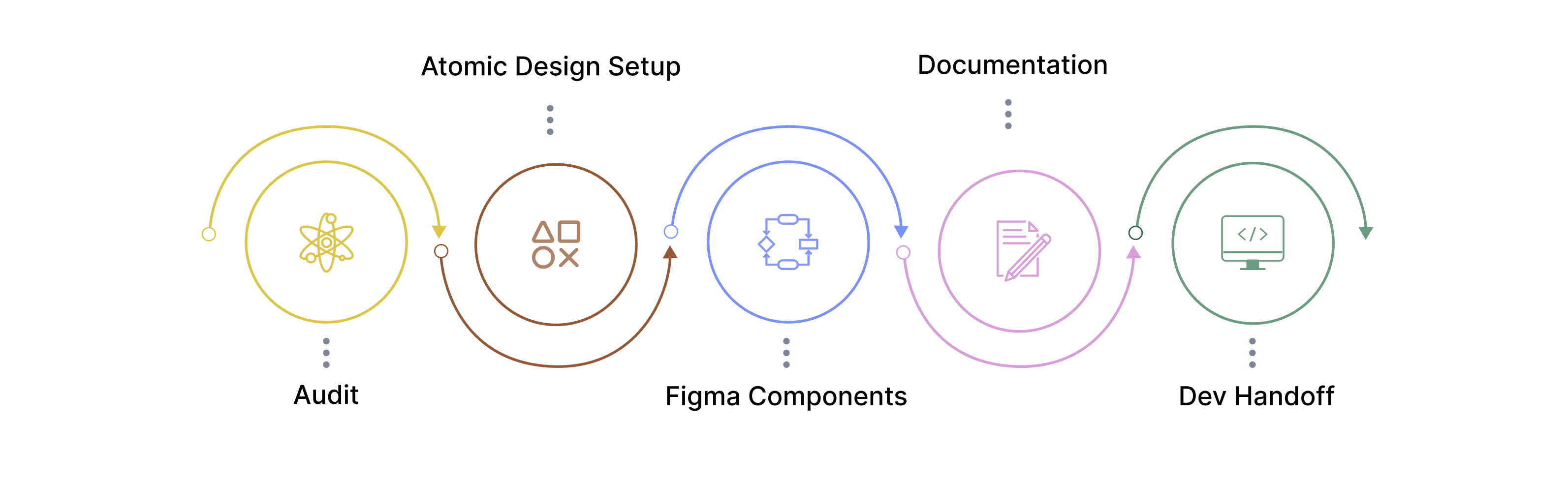
I followed a structured, end-to-end process to build the system from the ground up.

All about the user :

User Research

What UX research methods did I use to gain clarity and focus and why?

We kicked off the project with a few collaborative meetings to align on pain points and gather firsthand input from designers, product managers, and developers. These sessions helped us understand where the biggest gaps were and where the system could add the most value. Here’s what we heard:

UI Audit & Gap Analysis

01

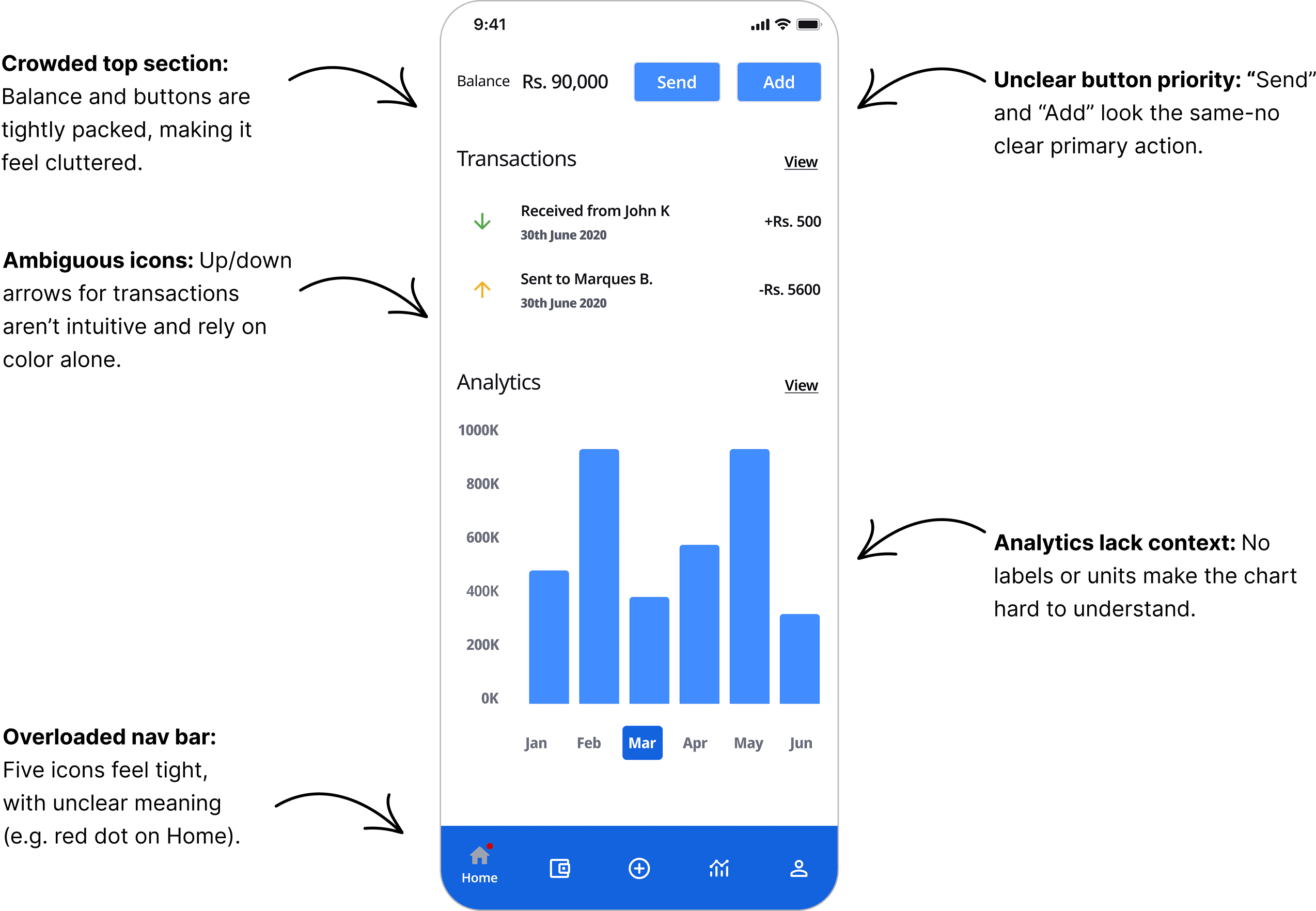
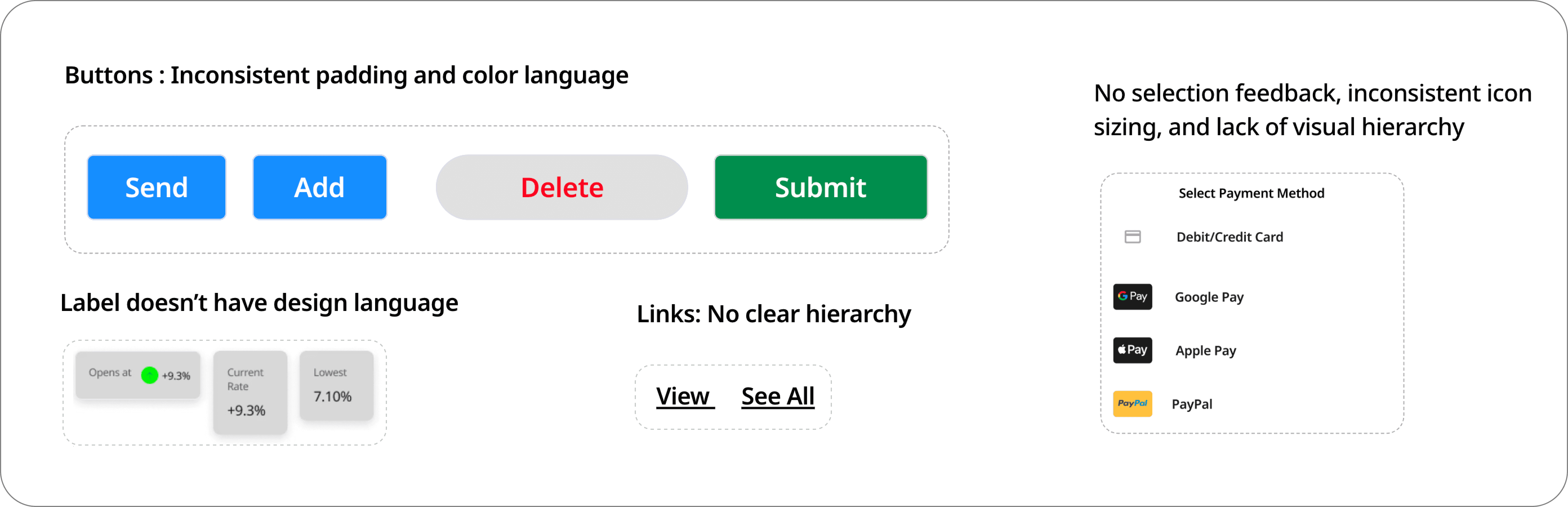
One of the first challenges I faced was understanding why Zeno’s live product looked so different from our design files. Was it outdated components? Developer improvisation? To validate this, I ran a quick audit across 25+ screens.

What I found confirmed my hunch: multiple versions of the same components were being used buttons, badges, and inputs all had several inconsistent variants.

🧑🏻‍💼

“There are three different button styles doing the same thing. We never know which one to use.”

— Product Designer

🤵‍♂️️

“Sometimes I just rebuild components because I can’t tell which one is the official version.”

— Frontend Developer

🤵🏽‍️

“It’s hard to keep the experience consistent across modules when we don’t have shared guidelines.”

— Product Manager

The project schematically :

Starting the Design

How did I make this effortless for both designers and developers?

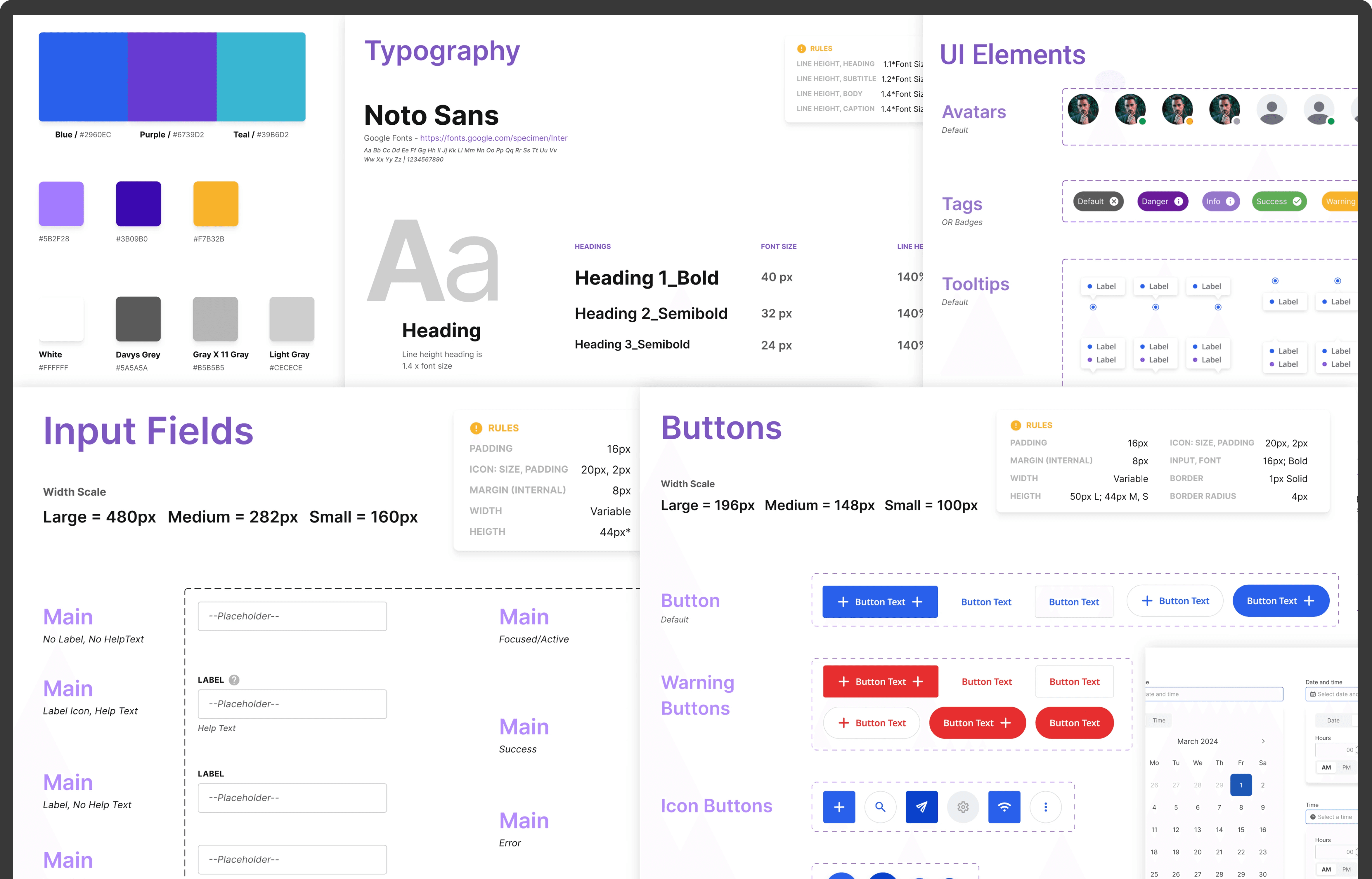
When I started building Zeno’s design system, I found myself jumping between design systems from Uber, Material Design, and Apple’s Human Interface Guidelines. What really helped was simplifying things with Atomic Design Principles. It gave me a framework that fit our product’s scale and made it easier to build something practical, not overwhelming for both designers and developers.


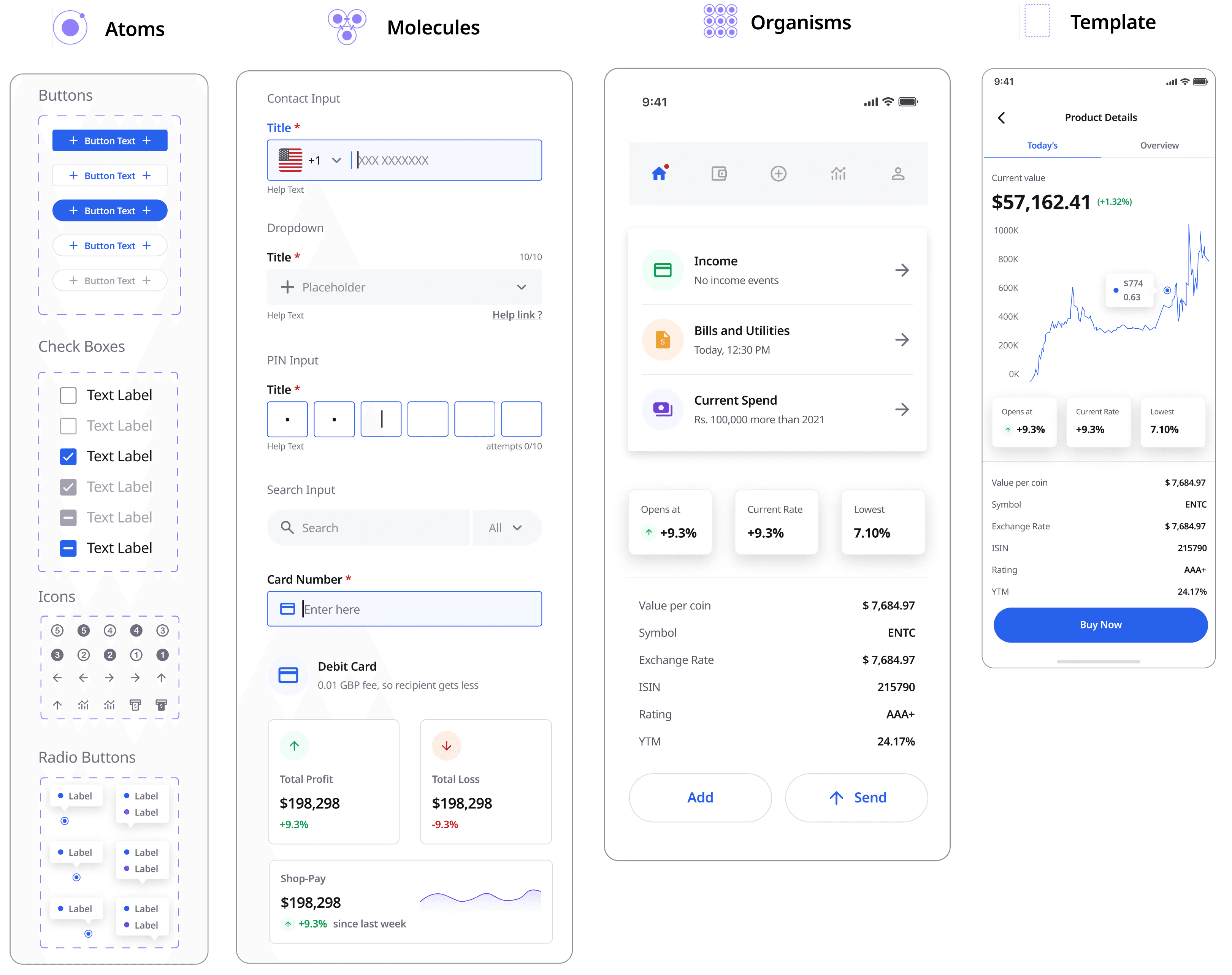
I adopted Atomic Design to build reusable, modular UI components: Atoms, Molecules, Organisms, Templates

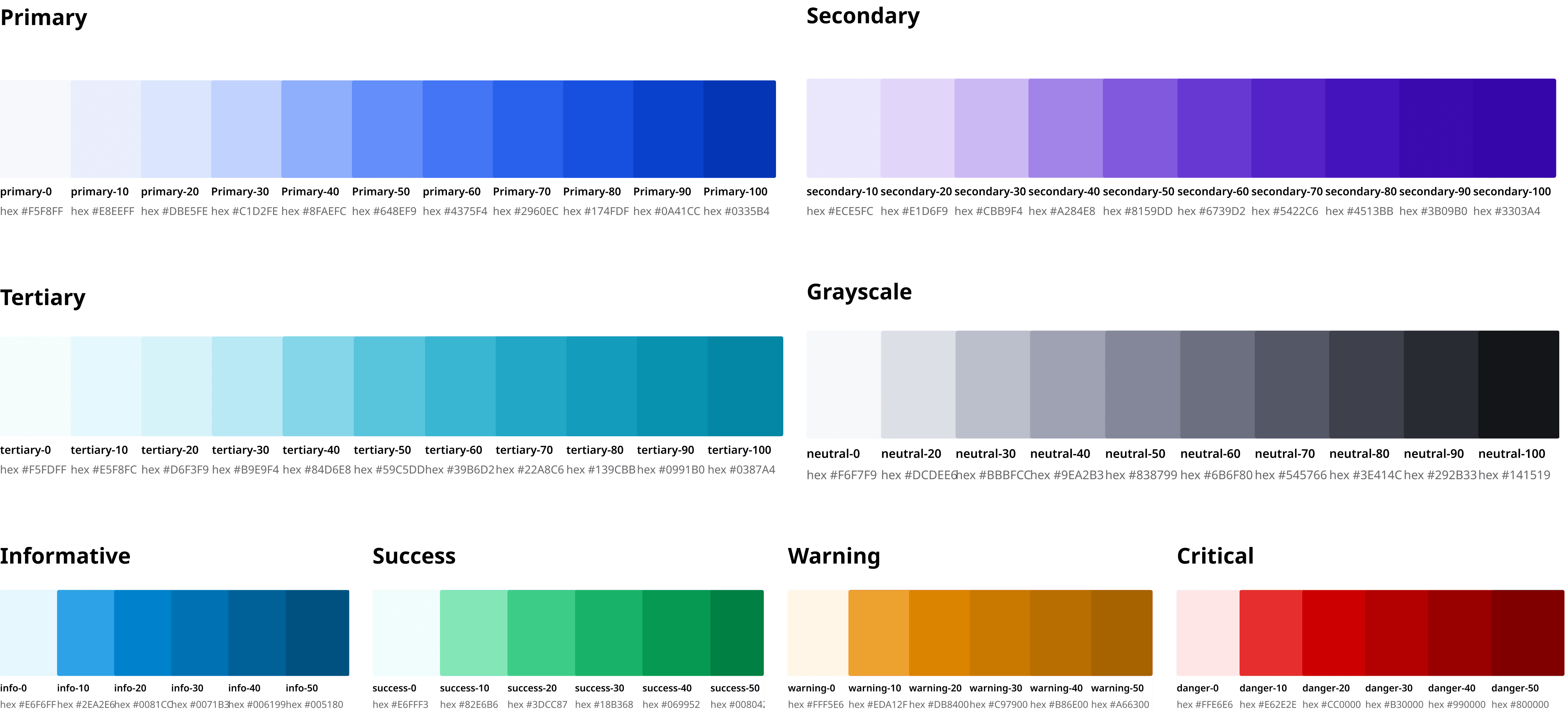
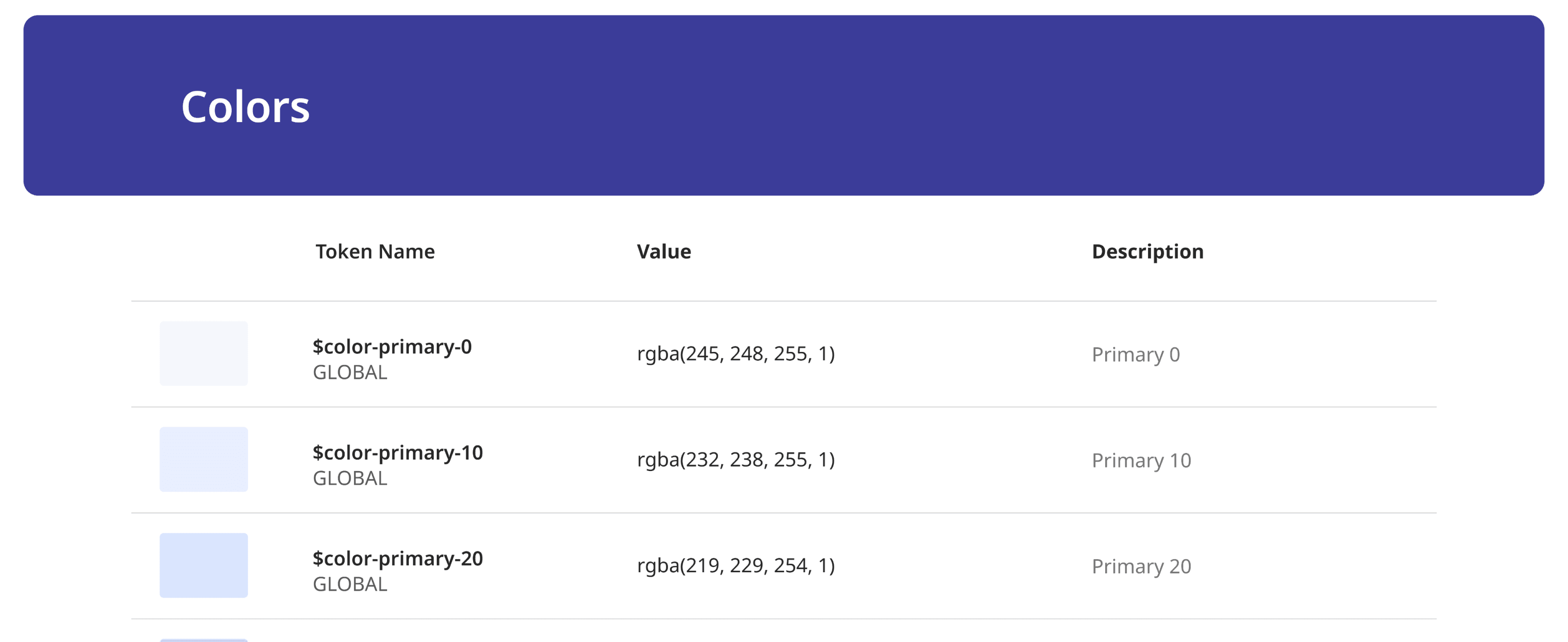
Action Colors

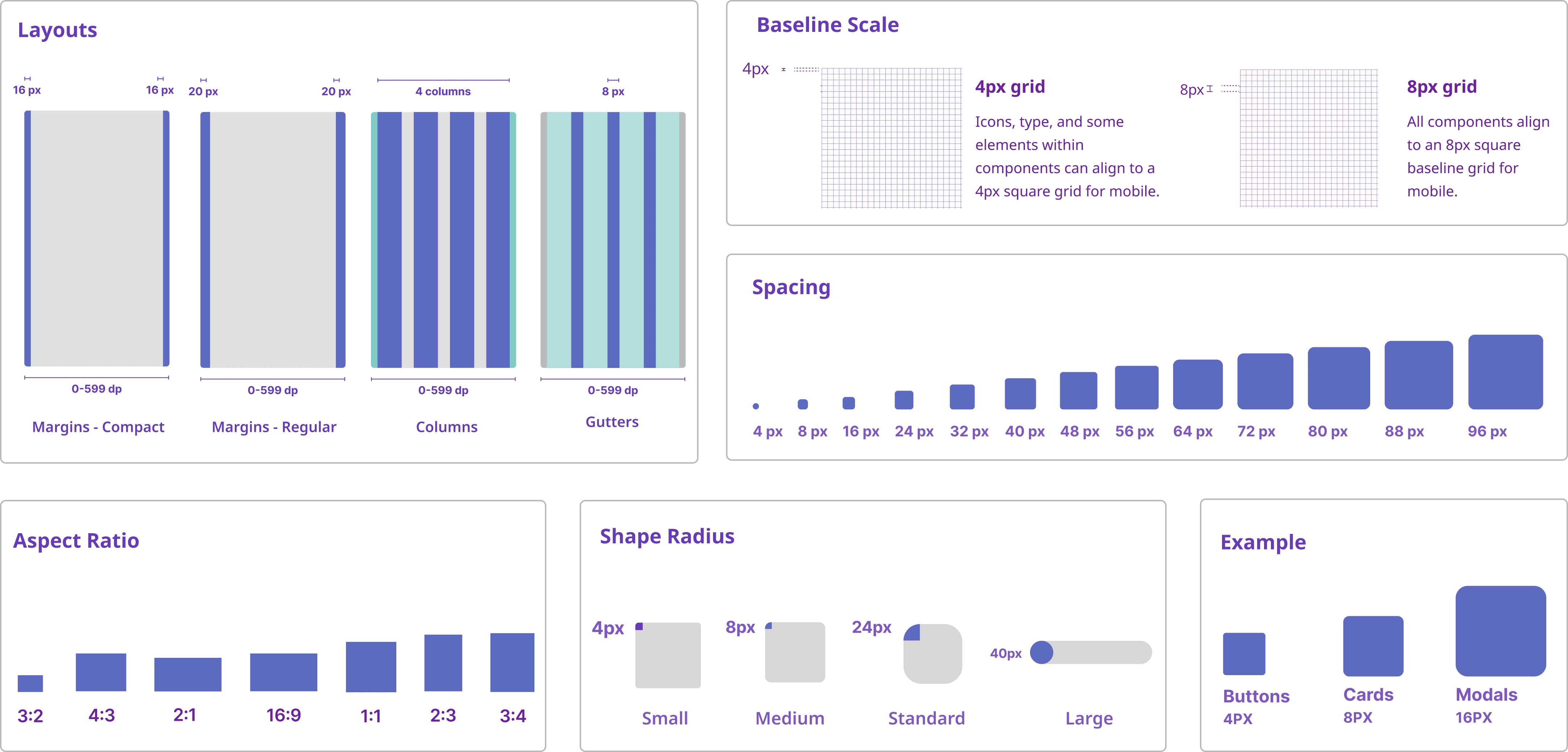
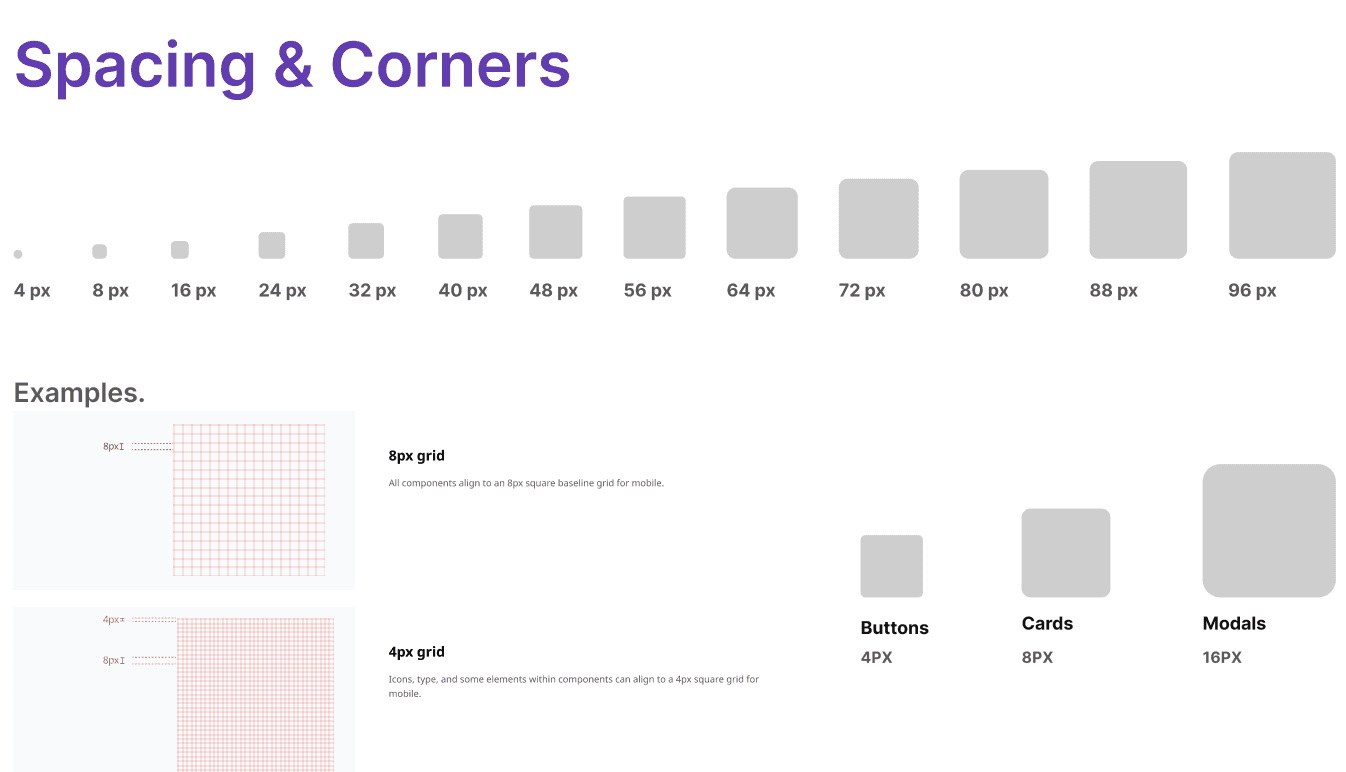
Grid and Layouts

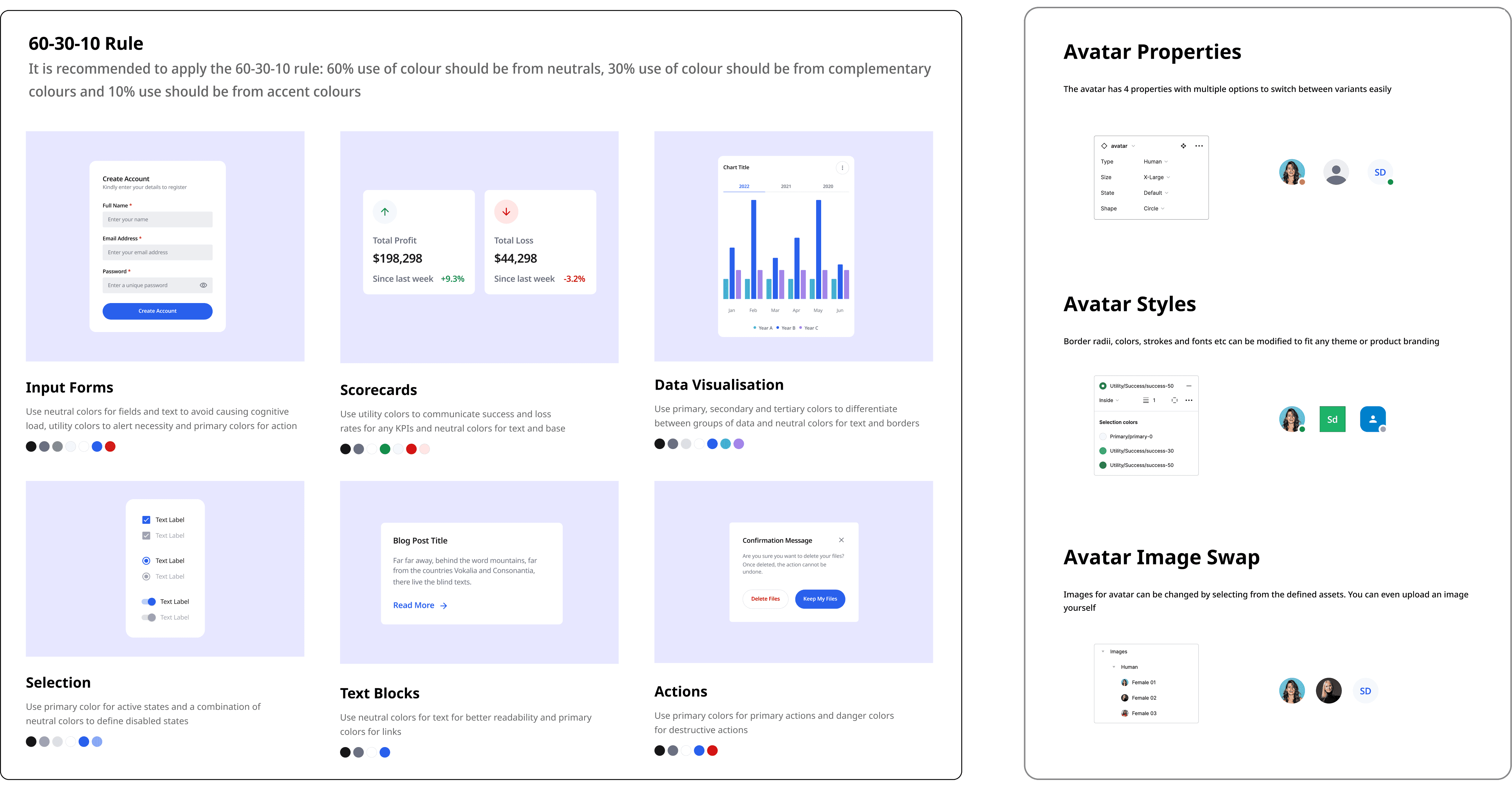
Use Cases with proper documentation

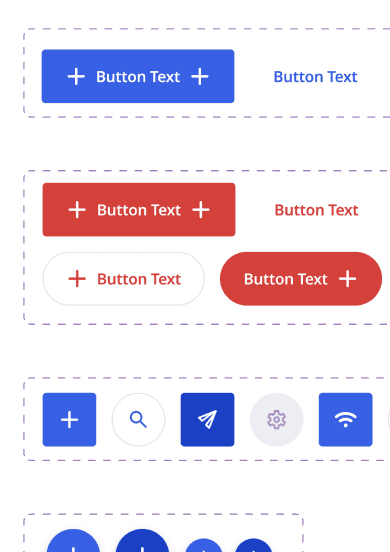
Component Creation

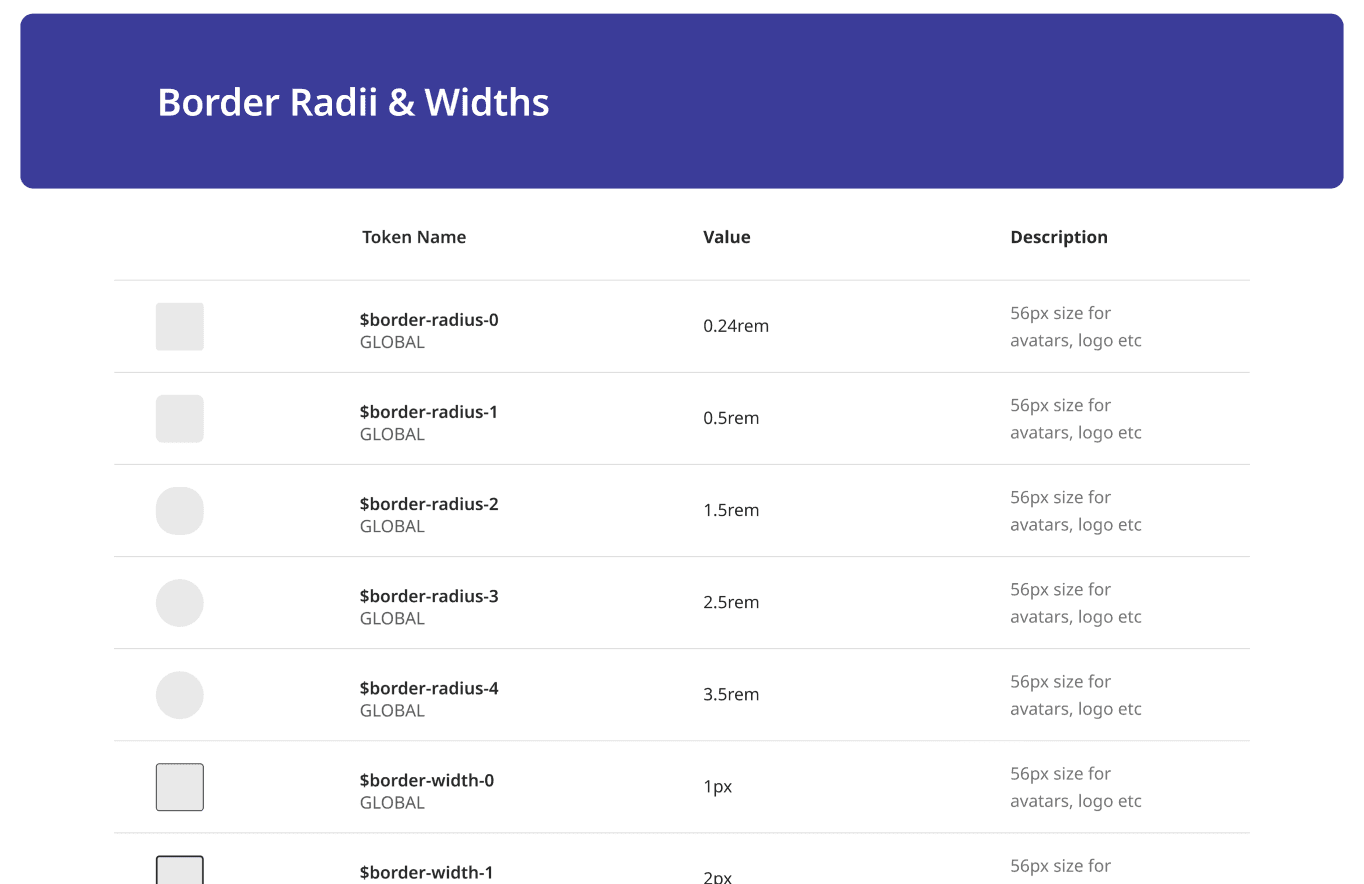
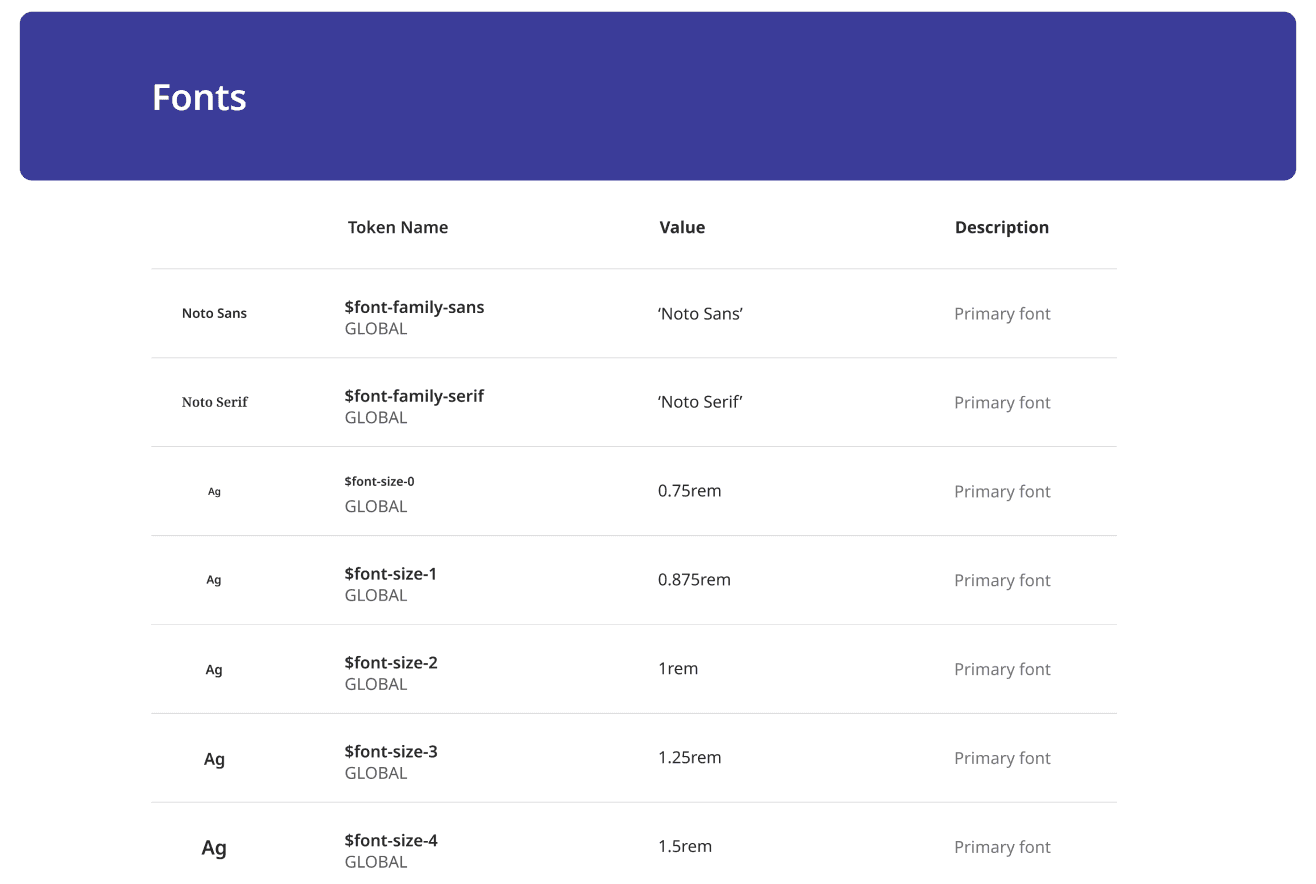
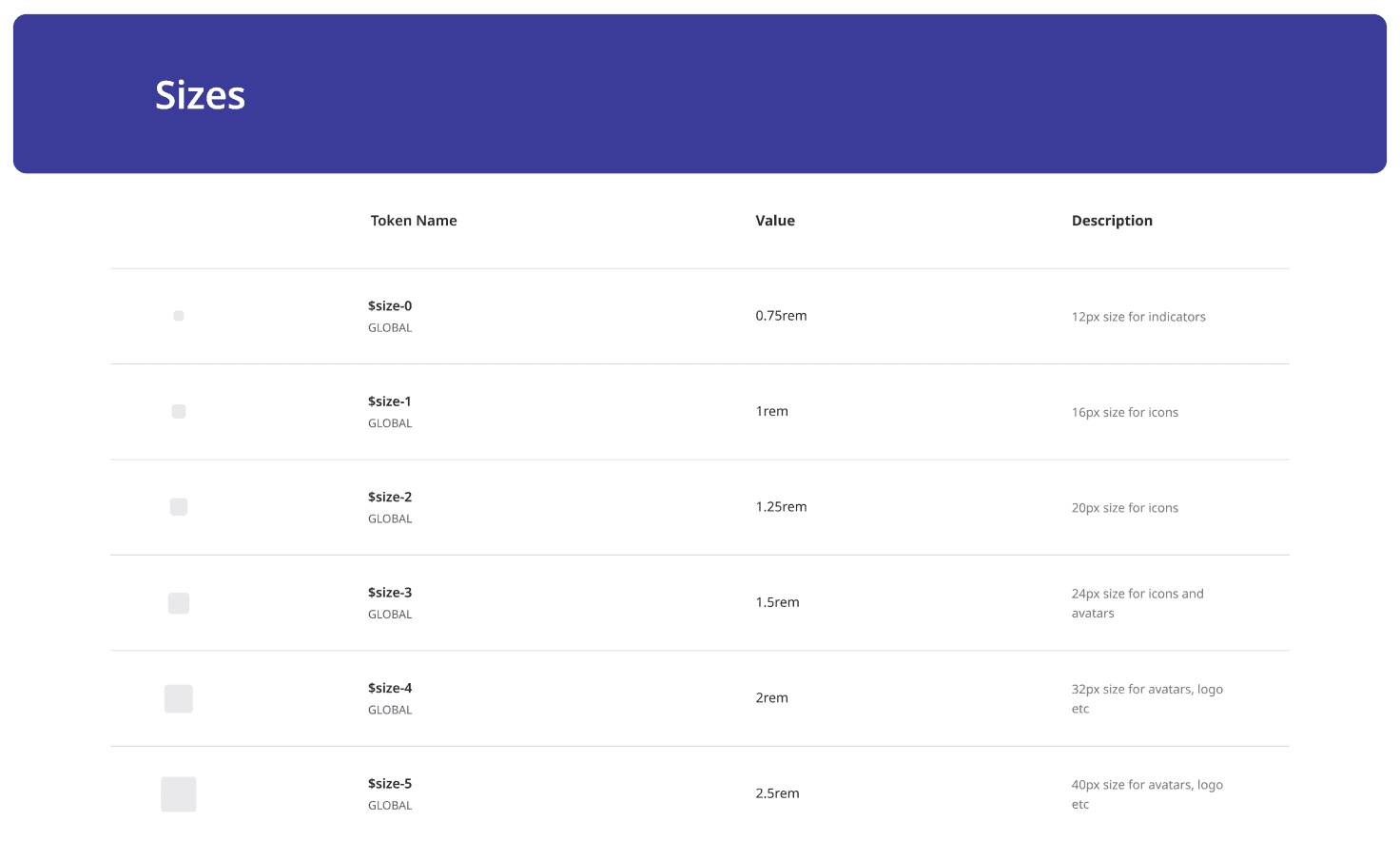
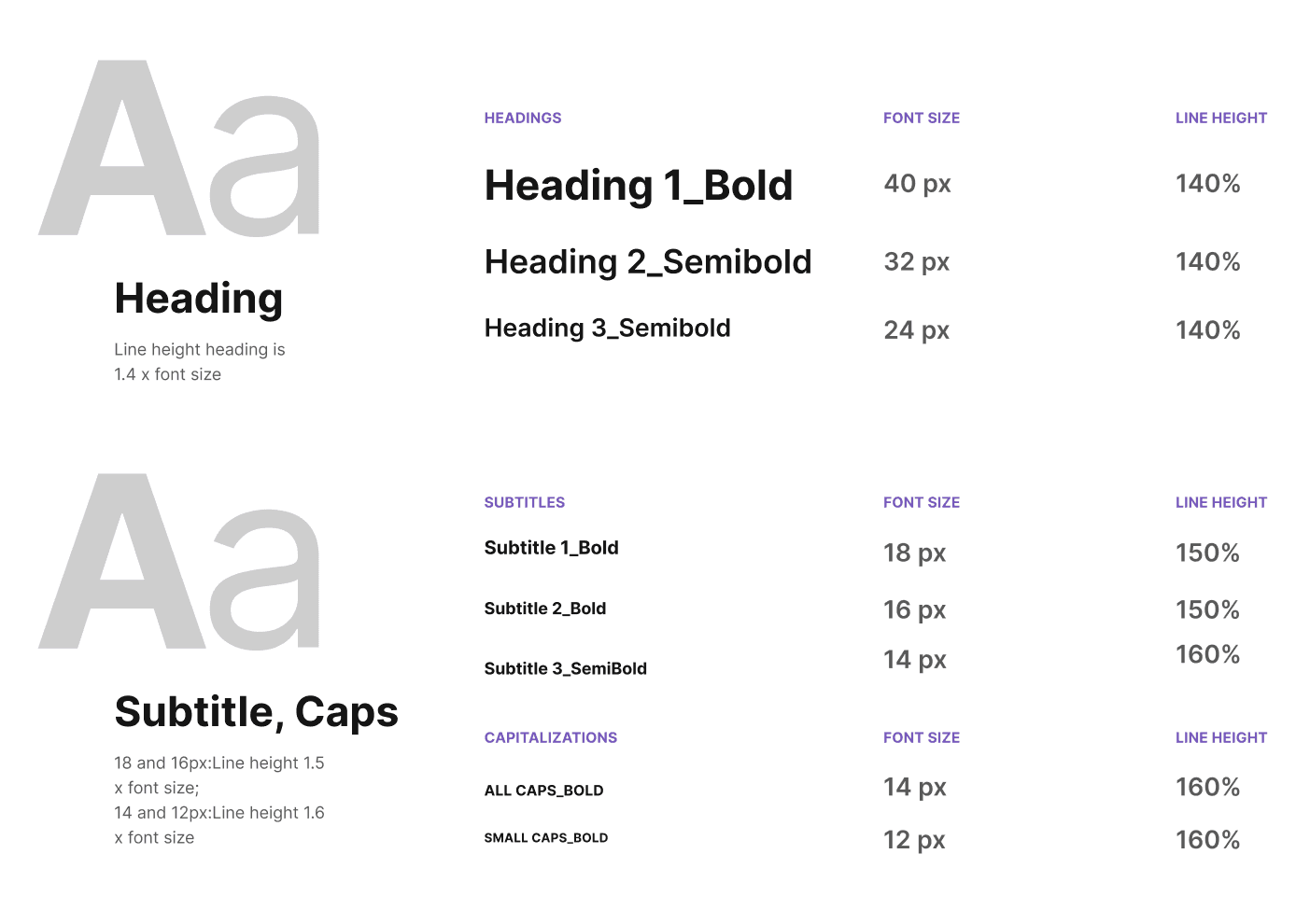
I created 60+ responsive components using Auto Layout, Variants, and Tokens Studio. With consistent naming and structure aligned to dev workflows, the system made it easier to scale design and handoff efficiently.

Components, Variants & States

To ensure flexibility and reusability, I built each component with carefully defined variants, states, and nested structures in Figma.

Multiple Variants

Variants were used to manage sizes (e.g. small, medium, large), styles (primary, secondary, ghost), and themes (light/dark).

Nesting Components

Like buttons inside cards, input fields within modals, or icons within list items, helped keep the system organized and composable.

States

States included default, hover, focused, disabled, and error, allowing developers to match UI interactions consistently.

Writing Documentation for
the Design System

How can I build components that scale with the product and the team?


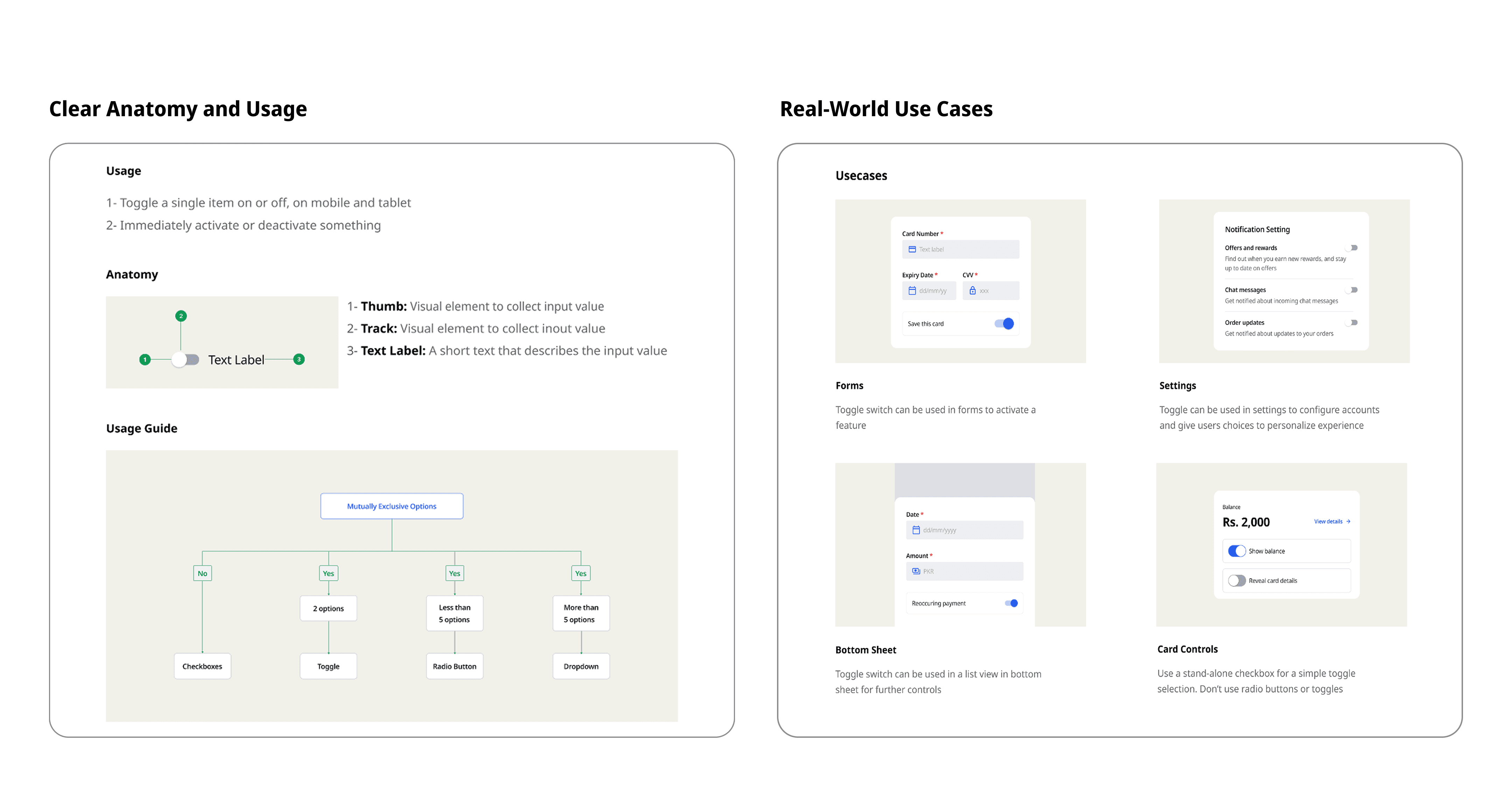
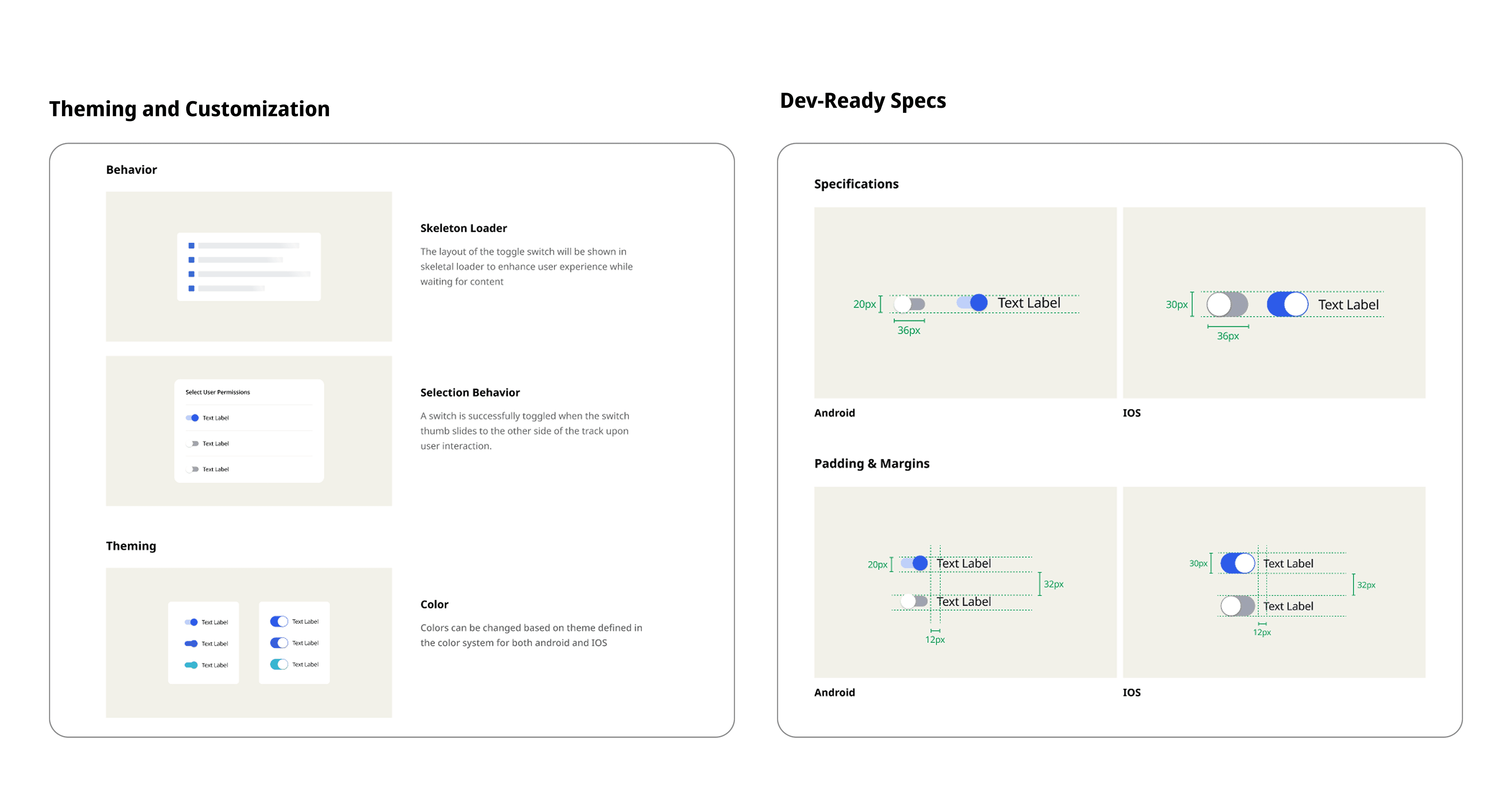
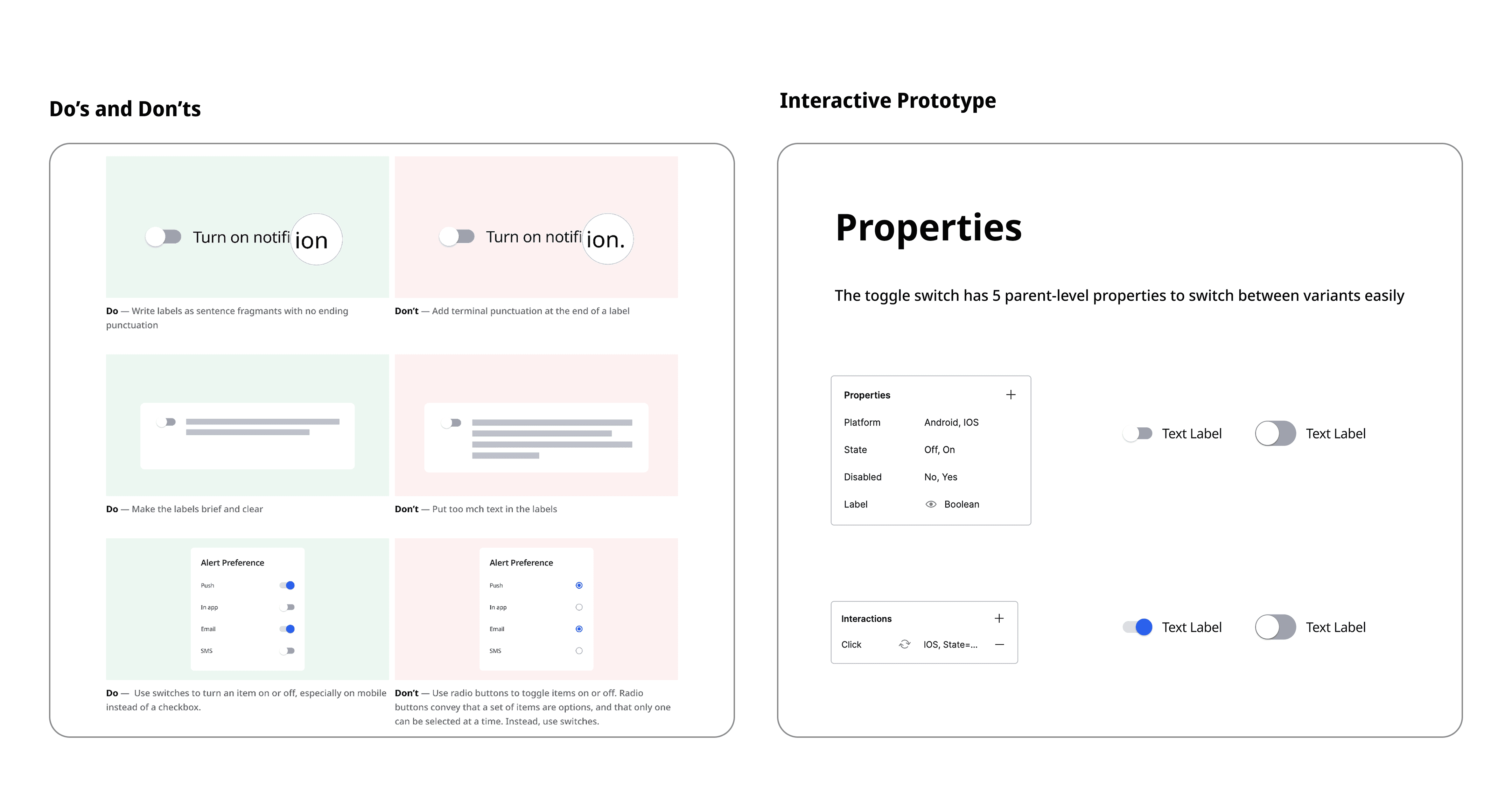
To make the design system truly usable, I documented each component with care, not just the visuals, but the why, when, and how behind its use. My goal was to ensure that any new designer or developer could understand the purpose of a component, how to use it correctly, and how to avoid common pitfalls.

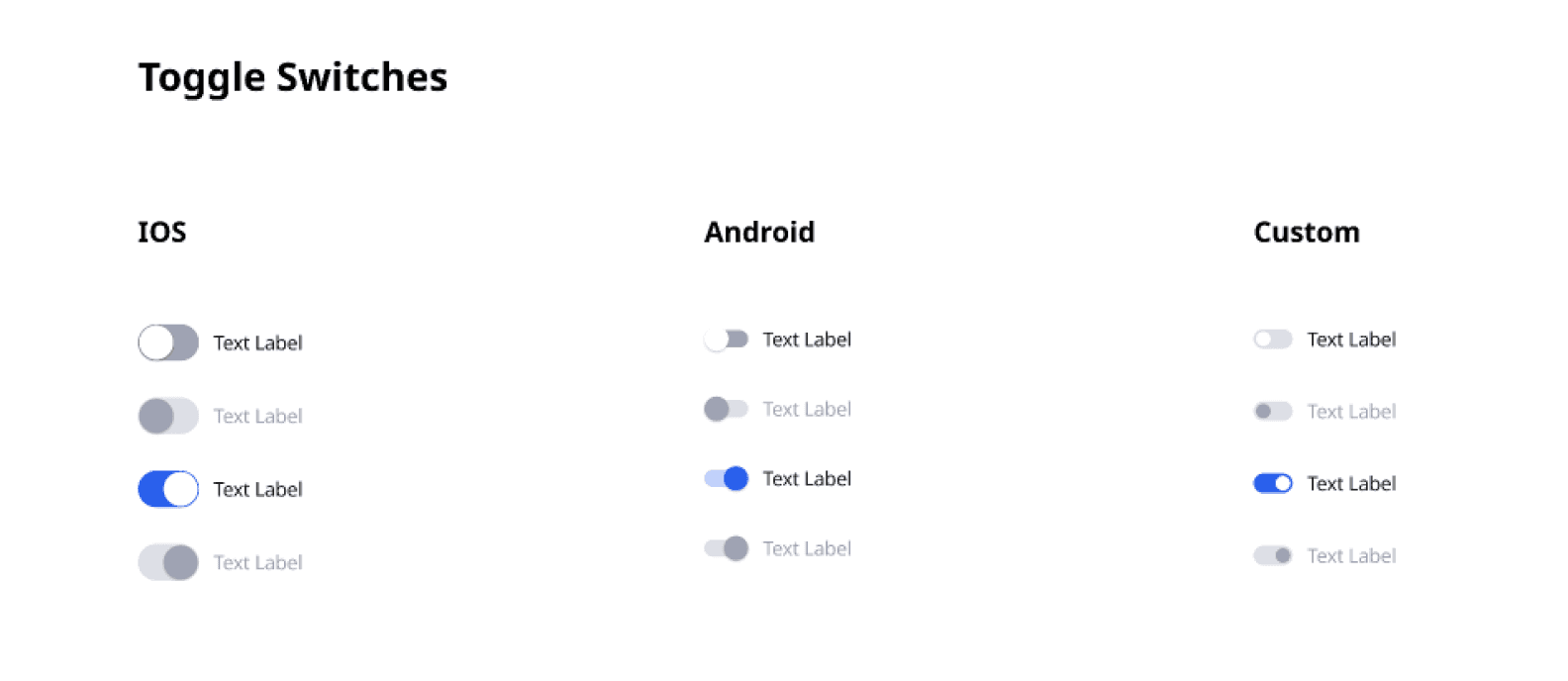
Multi-Platform Variants

INSTANCE

Toggle Switch – Usage Guidelines

Dev Handoff

How might I keep design consistent across platforms without slowing down developers?

To solve this, I collaborated with engineers to translate design tokens into platform-specific formats, SCSS for web, Swift for iOS, XML for Android, and JS objects for React. This made it easy for developers to apply consistent styles across platforms, straight from the design source.

Testing

It's the detailed, interactive version of designs that closely match the look and feel of the final product. 

Did it work?

Yes and the results spoke for themselves.


  • 70% faster design workflow with reusable components

  • Smoother handoffs and fewer back-and-forths with developers

  • Faster onboarding for new team members using prototypes and clear docs

  • Adopted across multiple products and continues to scale with the team


It gave everyone a shared language to build faster and with confidence.

Before

Before

$ 2,000

$ 2,000

Balance

Balance

Received from John K.

Received from John K.

+$ 2,000

+$ 2,000

30th June 2022

30th June 2022

Sent to Marques B.

Sent to Marques B.

-$ 2,000

-$ 2,000

30th June 2022

30th June 2022

View All

View All

View All

View All

Send money

Send money

Schedule payment

Schedule payment

Requestloan

Requestloan

1000K

1000K

800K

800K

600K

600K

400K

400K

200K

200K

0K

0K

Jan

Jan

Feb

Feb

Mar

Mar

Apr

Apr

May

May

Jun

Jun

Transactions

Transactions

Analytics

Analytics

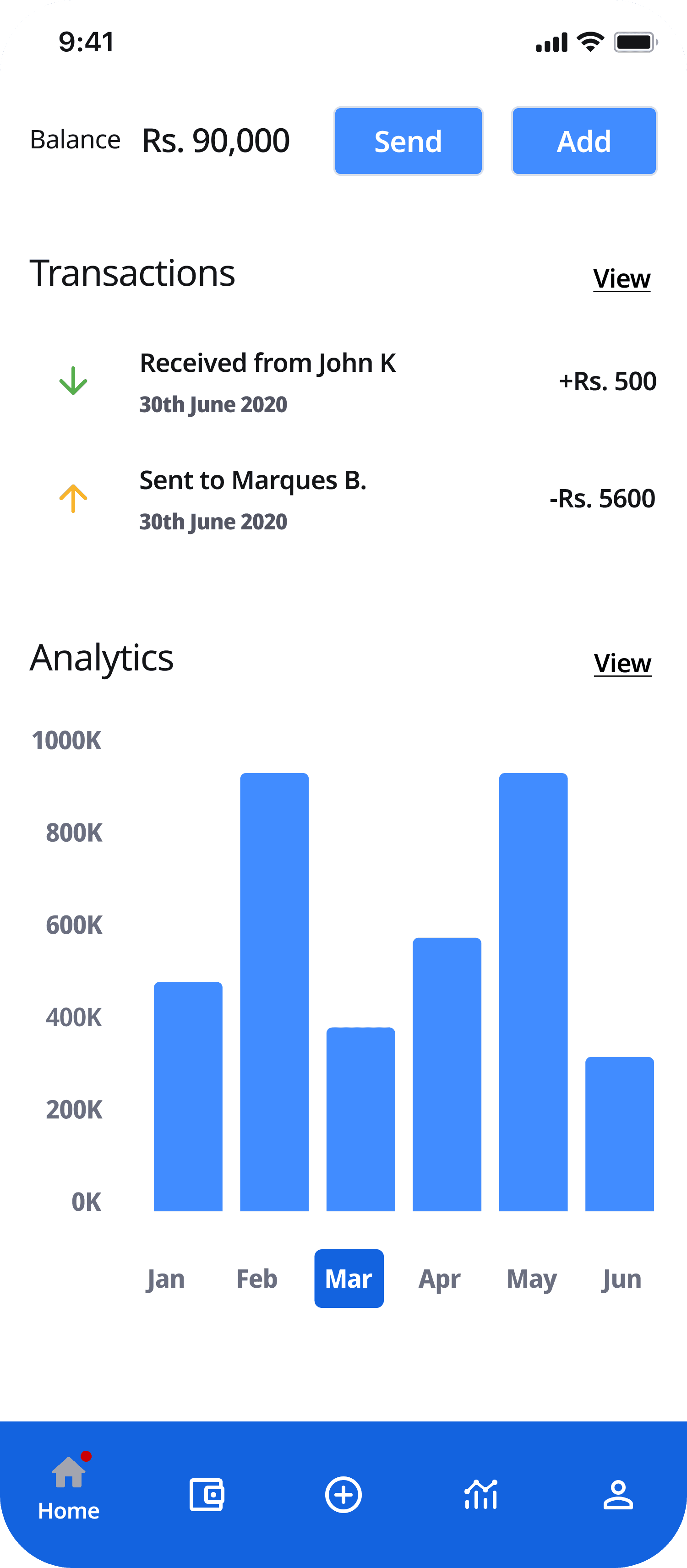
After

After

We also hosted walkthroughs and created an onboarding kit to help teams adopt the system confidently.

We also hosted walkthroughs and created an onboarding kit to help teams adopt the system confidently.

“This design system feels like an internal product, it saves us time and cuts down on errors.” — Lead Developer

The project schematically :

Outcome

The Zeno Design System established a unified foundation for product design and development, creating consistency across web and mobile experiences. By standardizing components, patterns, typography, colors, and interaction guidelines, the system reduced design inconsistencies and accelerated product delivery.