TherapyLife

TherapyLife

Healthcare UX

Healthcare UX

SaaS Dashboard Design

SaaS Dashboard Design

B2B

B2B

As a Lead UX Designer at TherapyLife, I led the design of an internal dashboard to help therapists manage sessions, notes, client histories, and payments in one place.


Collaborated with stakeholders, engineers and users to identify workflow gaps and redesign the experience from the ground up.
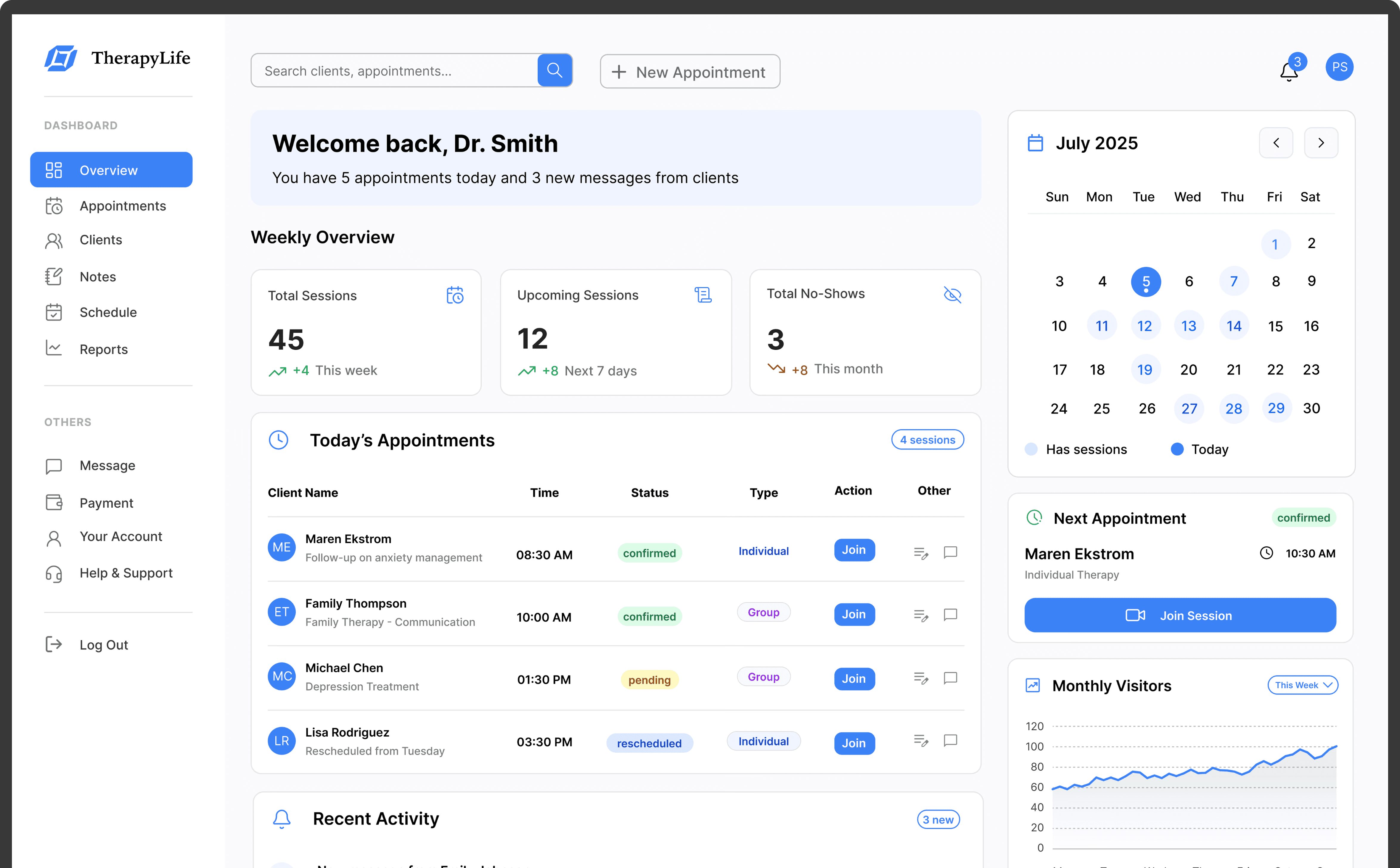
As a Lead UX Designer at TherapyLife, I led the design of an internal dashboard to help therapists manage sessions, notes, client histories, and payments in one place.


Collaborated with stakeholders, engineers and users to identify workflow gaps and redesign the experience from the ground up.
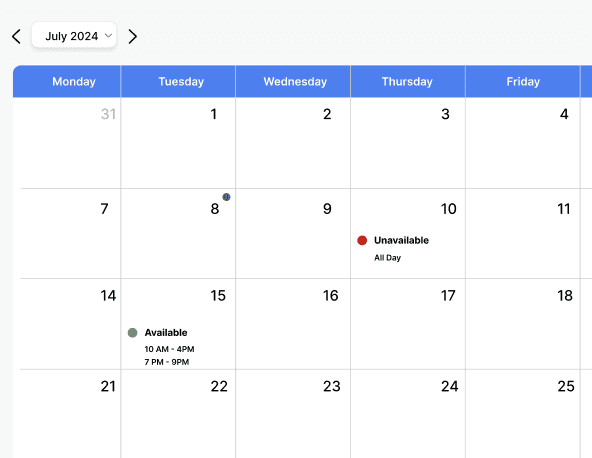
The project itself :

Project Overview

TherapyLife is a B2B SaaS platform designed to support mental health professionals in managing their daily practice. From scheduling and session notes to client management and payments, it offers a streamlined, all-in-one tool built to reduce friction and improve therapist efficiency.

Problem:

Therapists were struggling with fragmented workflows, jumping between multiple tools to prep for sessions, take notes, and manage availability. This led to stress, missed documentation, and lost appointments.

Goal:

Design a ticketing application that is absolutely user-friendly by providing clear navigation and offering fast seat selection and frisky ticket purchasing.

My role:

Lead UX designer leading the design of the TherapyLife's internal dashboard.

Responsibilities:
  • conducting research,

  • storyboarding,

  • paper and digital wireframing,

  • iterating on designs,

  • making high-fidelity prototype

All about the user :

User Research

What UX research methods did I use to gain clarity and focus and why?

We started with a research-first approach, knowing that user feedback had already revealed dissatisfaction with the platform. Before making any design assumptions, we prioritized understanding therapist behaviors, unmet needs, and emotional triggers through deep contextual research. Our goal was to empathize before we optimized.

User interviews

01

The goal of my interview process was to understand where users felt blocked or supported in their daily workflow so we could design solutions that fit naturally into their routines.

I interviewed 7 licensed therapists both solo and clinic-based through 30–45 minute sessions. We explored their tools, workflows, and key pain points around session prep, note-taking, scheduling, and follow-ups.

🧑🏻‍💼

“ I usually take notes after the session… but by then, I’ve already forgotten the little things that matter.”

🤵‍♂️️

“ I’ve double-booked myself more than once because the calendar didn’t update properly. It’s stressful and unprofessional. “

🤵🏽‍️

“ “Before every session, I’m scrambling through past notes, my calendar, and emails, it’s mentally exhausting.”

🤵🏽‍♀️

“Sometimes I just skip follow-ups because there’s no reminder system in place. I rely on memory, which isn’t ideal”

User Surveys

02

To supplement qualitative insights from interviews, we ran a short survey using Google forms with 60 therapists. The goal was to validate early hypotheses, prioritize pain points, and gather a broader sense of user frustrations with existing systems. Below is the summary of my findings.

72%

Regularly delay writing session notes due to friction in the process

78%

Current system made daily workflows more time-consuming than necessary

61%

Confusion or uncertainty when scheduling or editing appointments

55%

Missed or delayed follow-ups due to tool limitations

Pain Points

Appointment list was hard to scan:

Therapists couldn’t quickly see which clients were upcoming or needed notes, leading to confusion and rushed prep.

Scheduling didn’t align with availability:

Therapists couldn’t easily manage bookable hours, causing missed or double bookings.

Session notes were often incomplete or misplaced:

Notes weren’t clearly tied to appointments, so therapists forgot or skipped them.

Adding appointments was too complicated:

Too many steps and unclear confirmations led to booking errors.

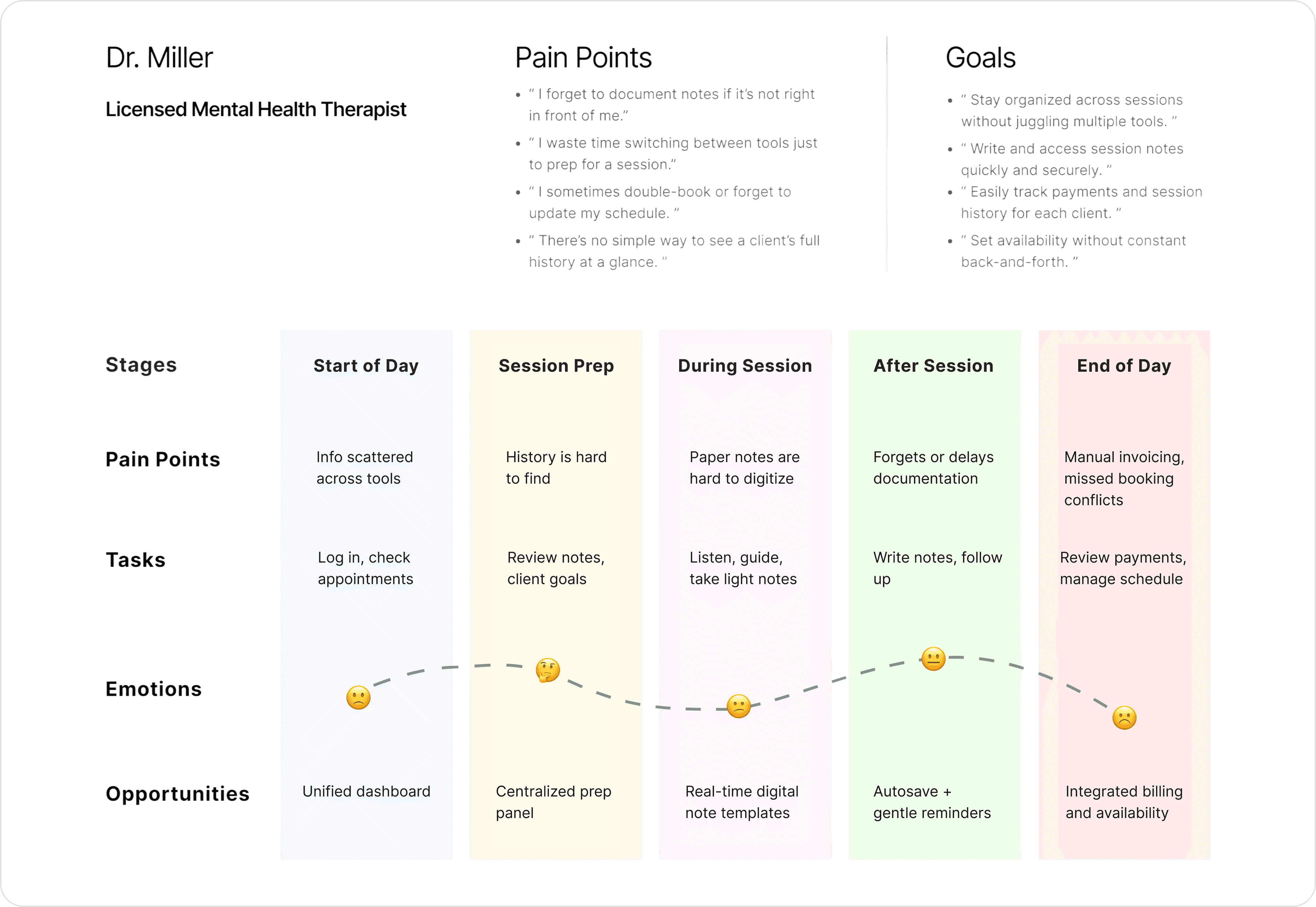
User Personas & Journey Map

By creating user personas and journey maps grounded in research, I was able to step into the user’s shoes. These tools helped clarify their daily pain points and kept the design process focused, intentional, and rooted in actual workflows.

Design Goals

What did I learn from users, and how did that guide my design decisions?

Problem Space #1
Therapists were struggling to prep for sessions efficiently

→ I want to create a centralized experience that helps therapists prepare quickly by bringing client history, session notes, appointment history, and activities into one clear, focused view.

Problem Space #2
Availability management was unclear and error-prone

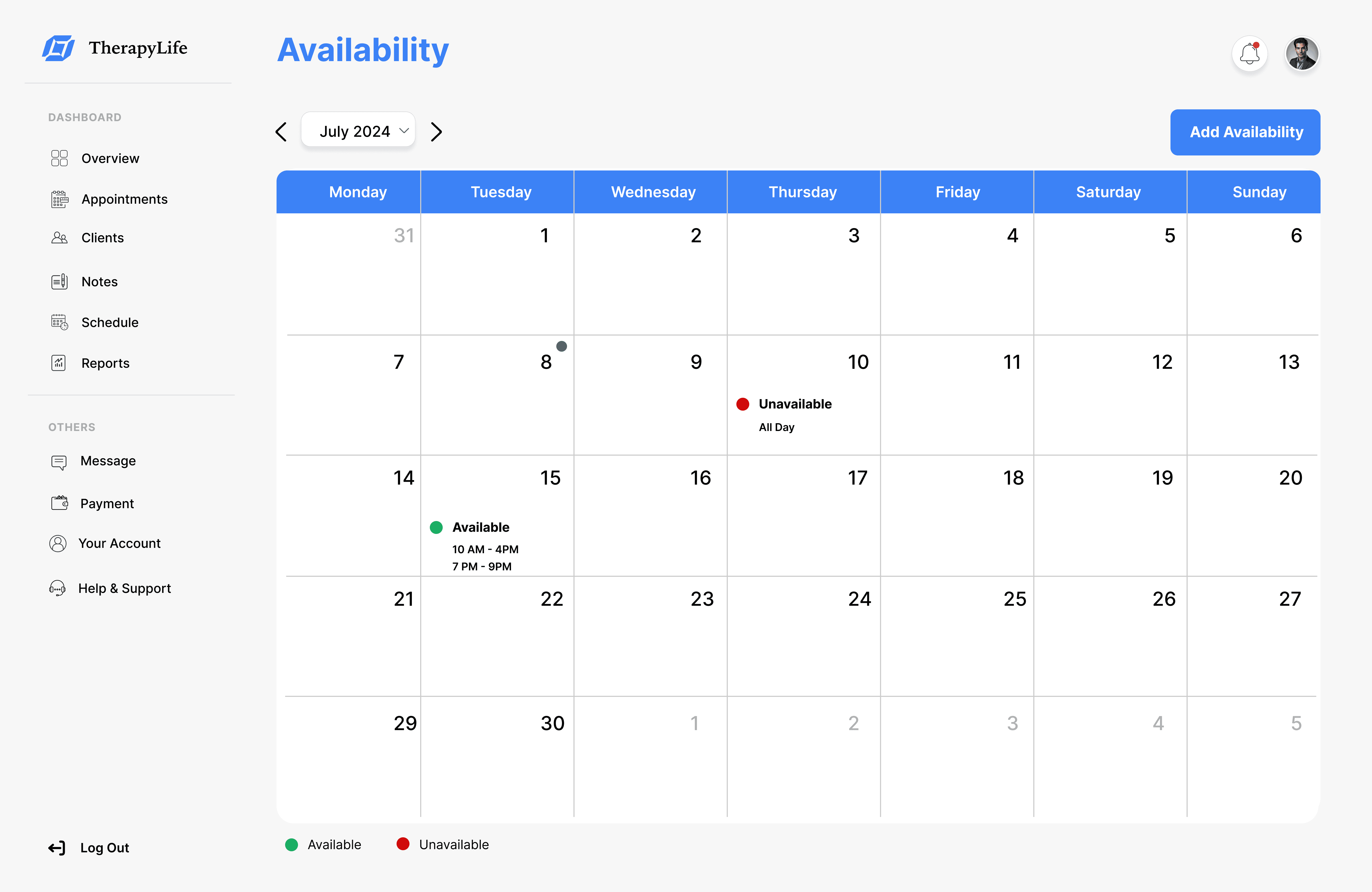
→ Design a visual, flexible scheduling tool that makes it easy for therapists to update their availability and avoid missed or double-booked appointments.

Problem Space #3
Notes were often delayed, forgotten, or lost

→ By building a note-taking flow that fits naturally into the therapist’s routine simple enough to use during sessions and reliable enough to complete after I want to reduce friction and improve documentation consistency.

The project schematically :

Starting the Design

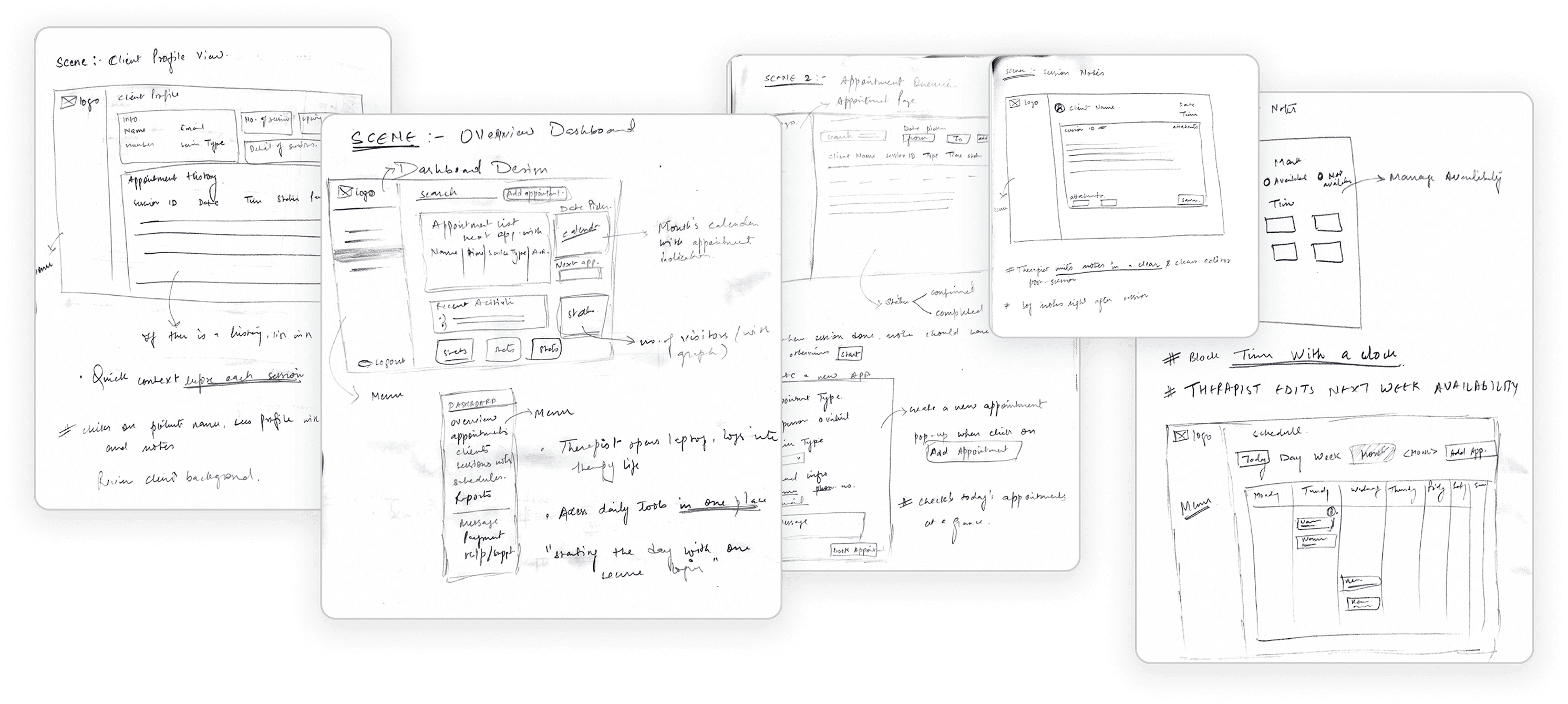
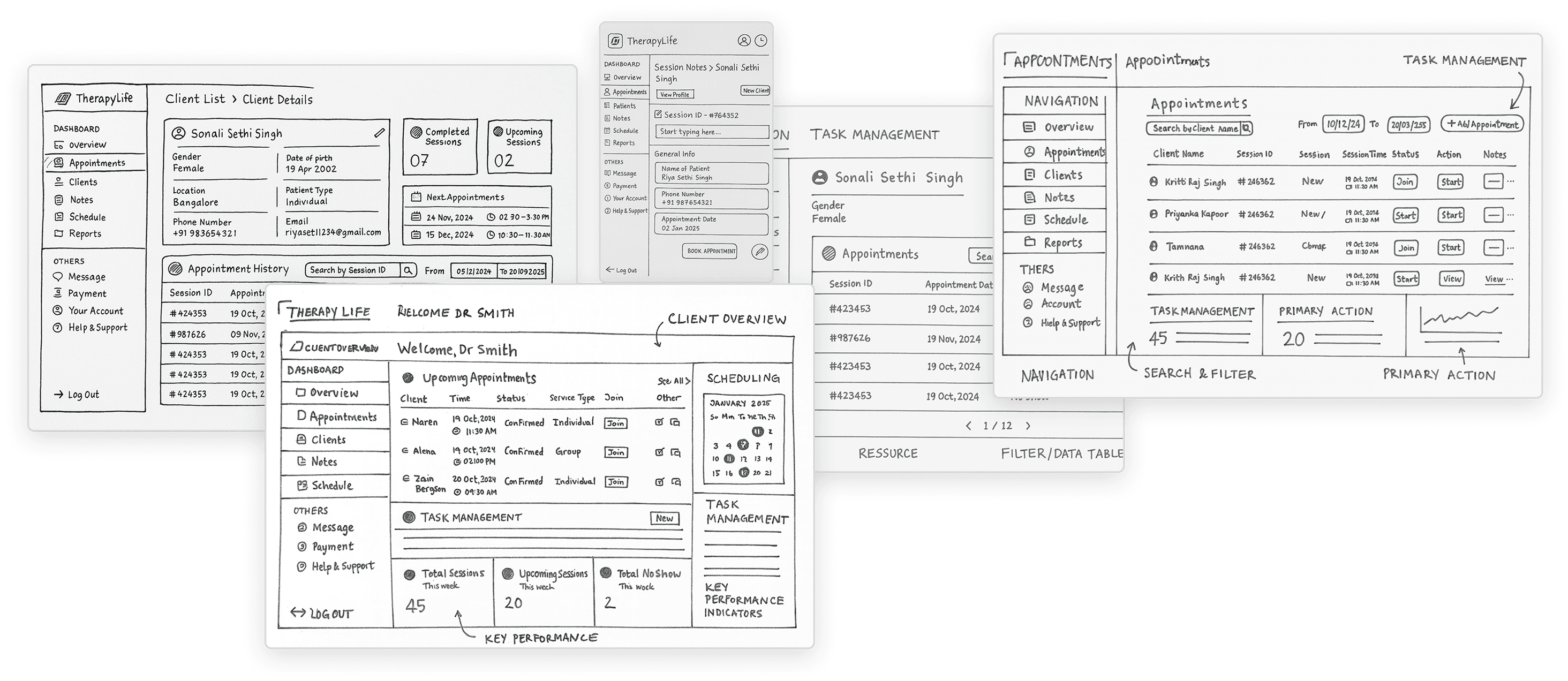
We kicked off the design phase with collaborative brainstorming sessions and quick sketches to explore layout ideas and user flows. These early sketches helped us visualize solutions for key pain points and align the team before moving into wireframes.

Note-n-Map

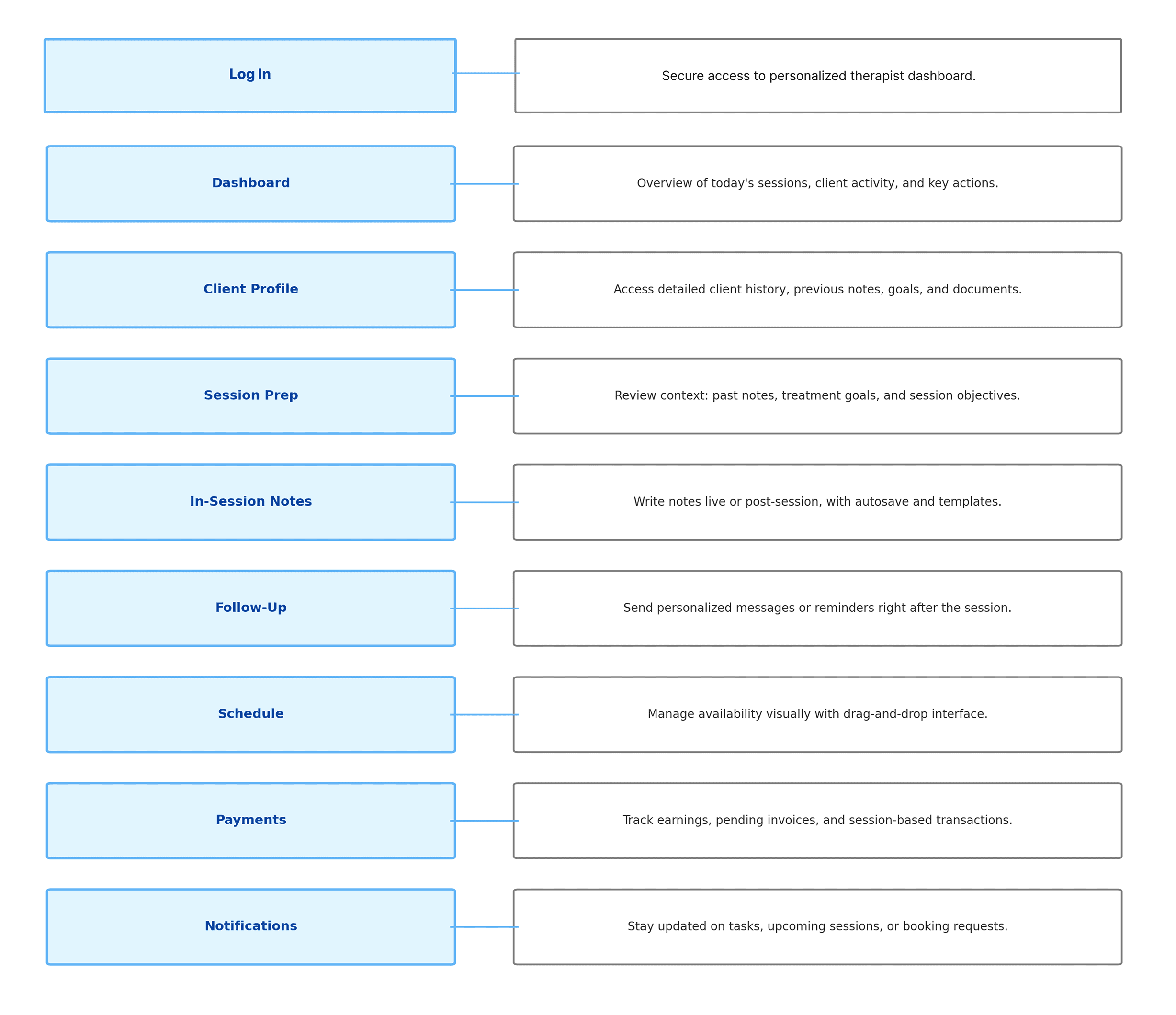
It's a structured scheme that outlines the pages and content hierarchy of the app.

Next step: I created a Note-n-Map that paired each key interaction with its design intention. This helped the team stay grounded in user goals across the flow from login to follow-up. By clearly mapping what each part of the product should do, we ensured that every screen had a clear job and minimized cognitive load for therapists.

nice interior

Sketching & Wireframing

The series of hand-drawing frames that visually describe and explore a user's experience with a product. 

I began with drawing storyboards to focus on just the most important parts of a user’s experience with the dashboard. They initially oriented on the basic structure of the homepage and highlight the intended function of each element.


Based on those concepts, designed a modular system focused on clarity and usability.

nice interior
nice interior

Digital Wireframes

More "clear" version of wireframes in a digital form. Also all the important pages are added

in it.

On this step I used the Figma design tool to create digital wireframes of all the pages. Then I bonded all of them into the clear and smooth structure.
The goal is to show how all the pages and things interact with each other.

nice interior

The clear version :

Refining Design

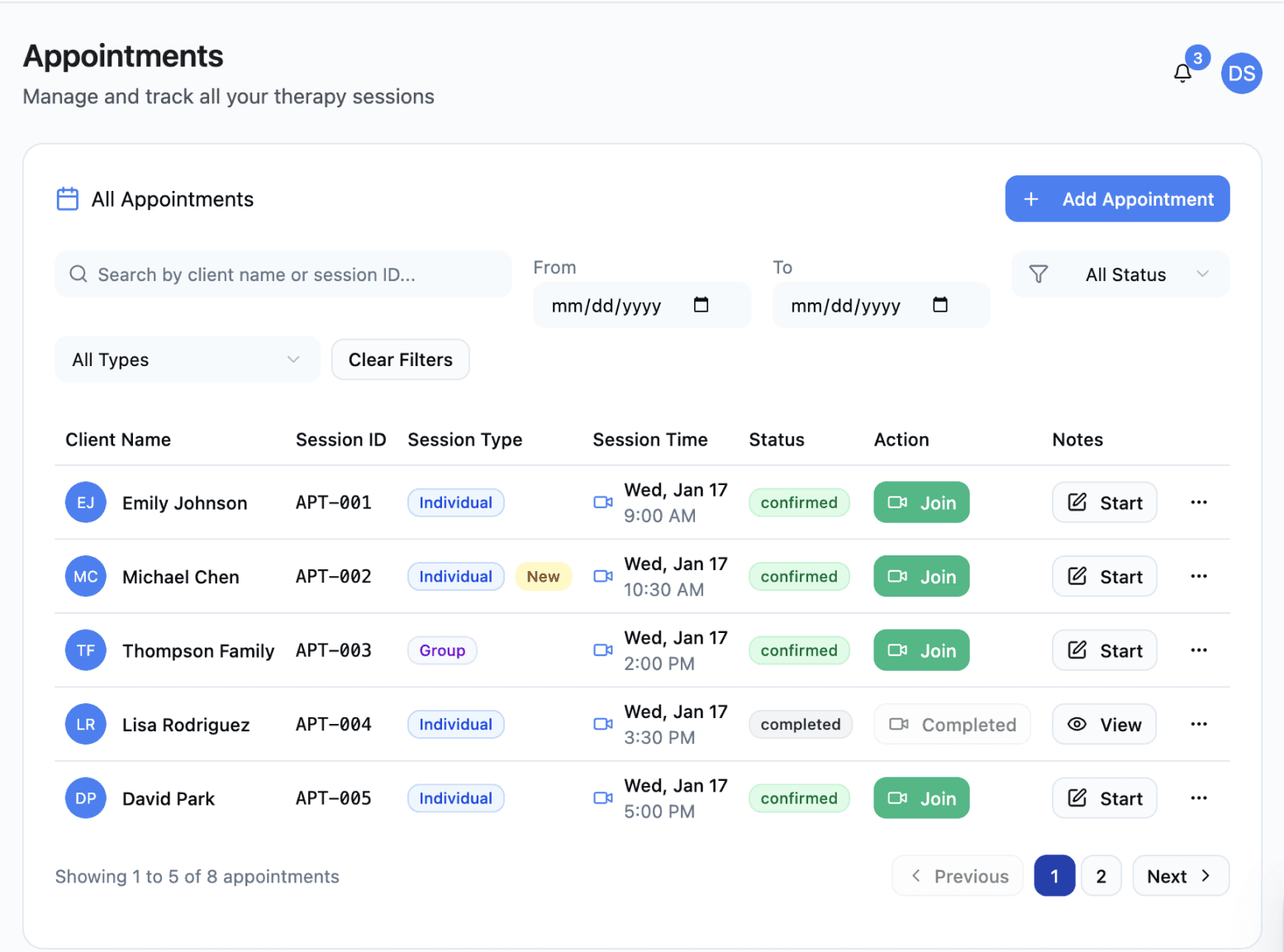
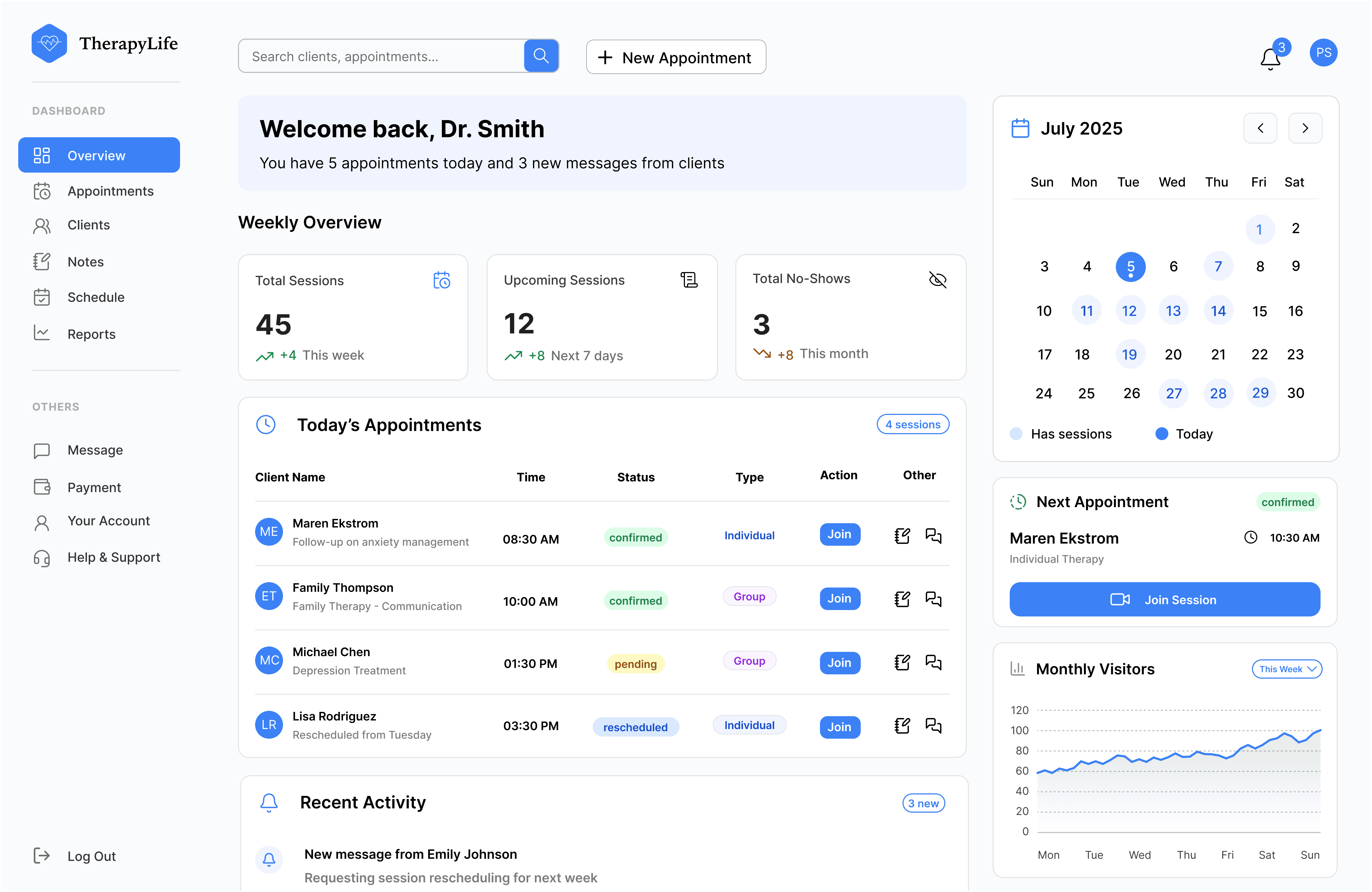
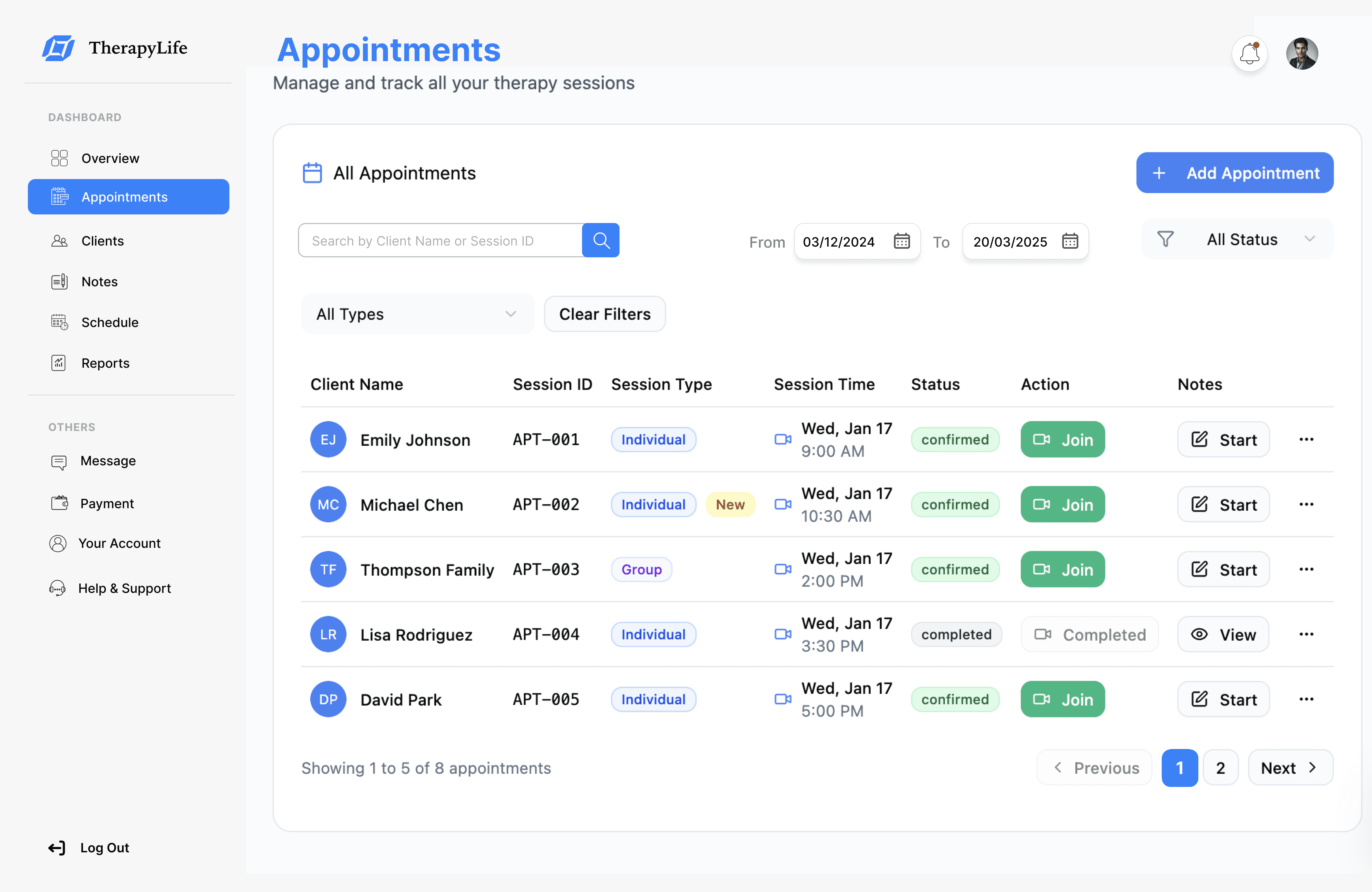
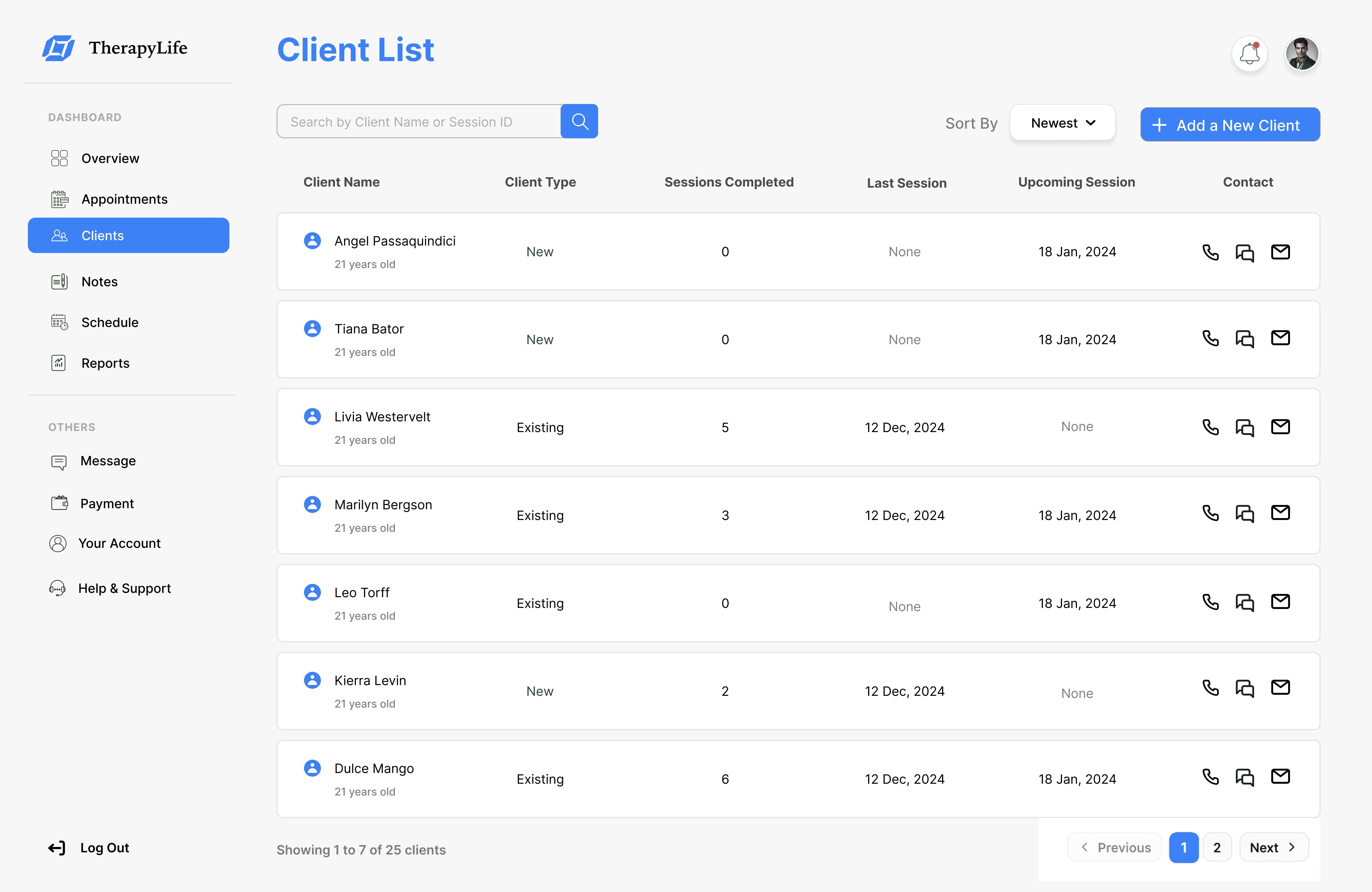
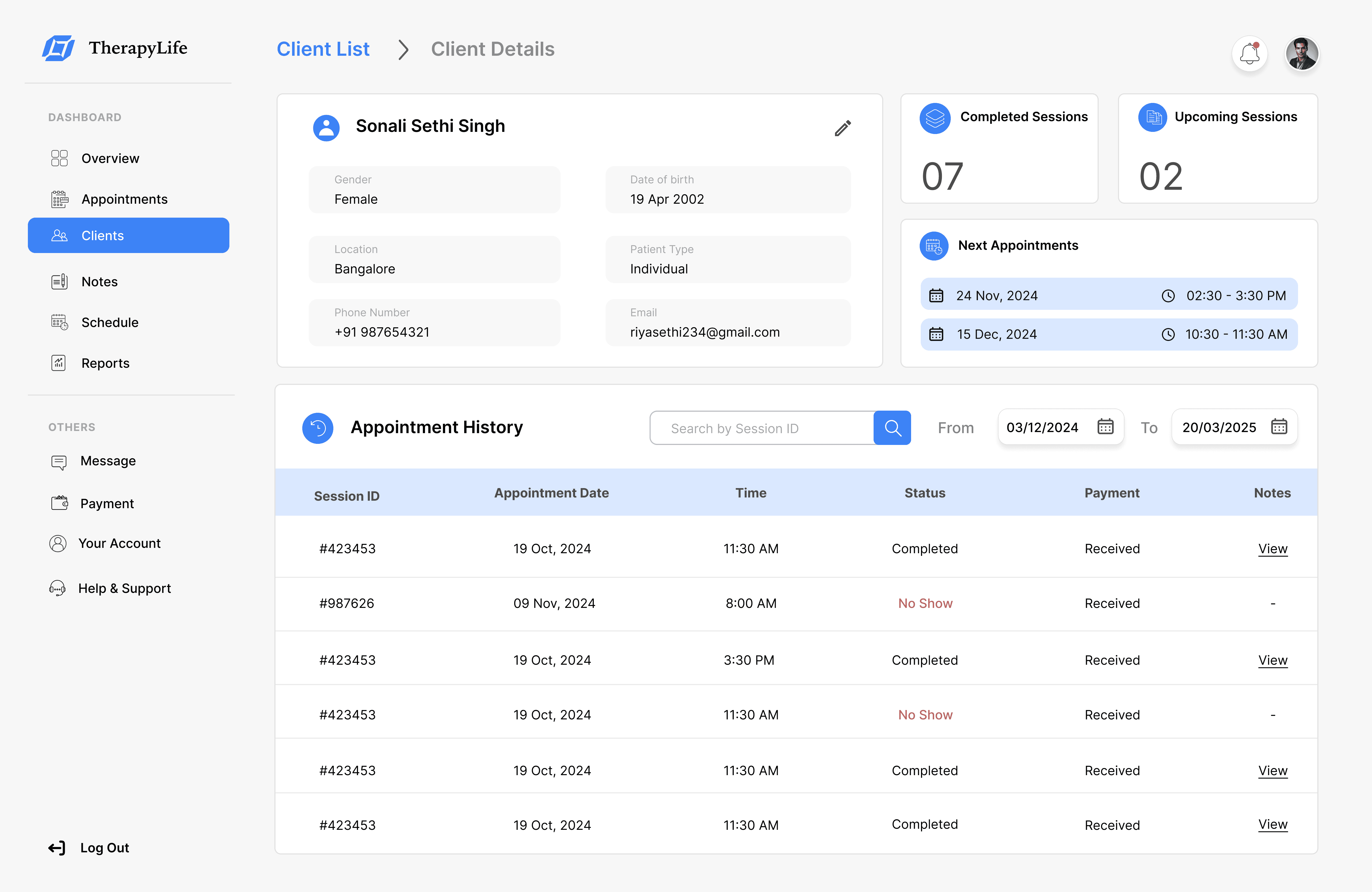
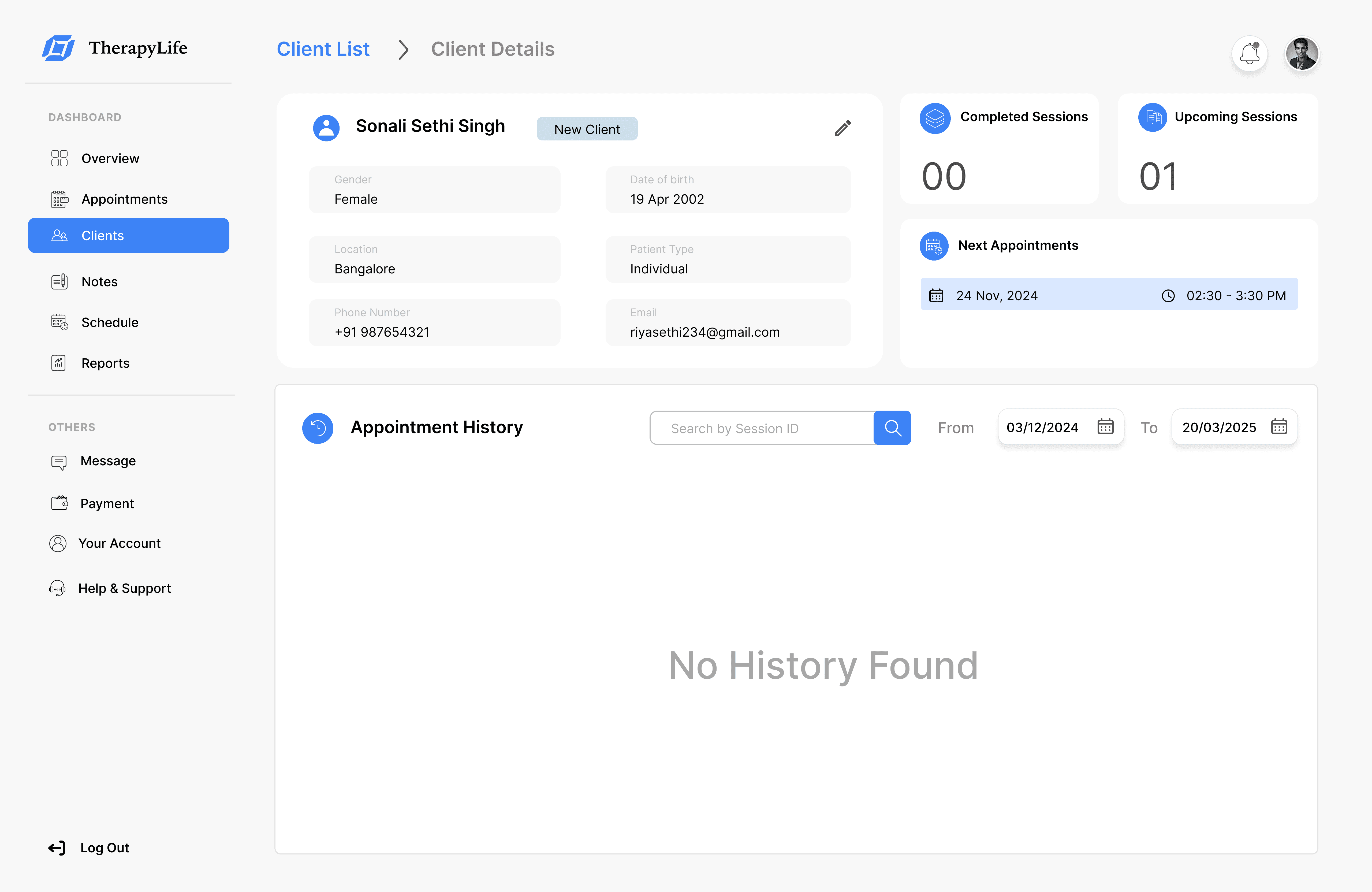
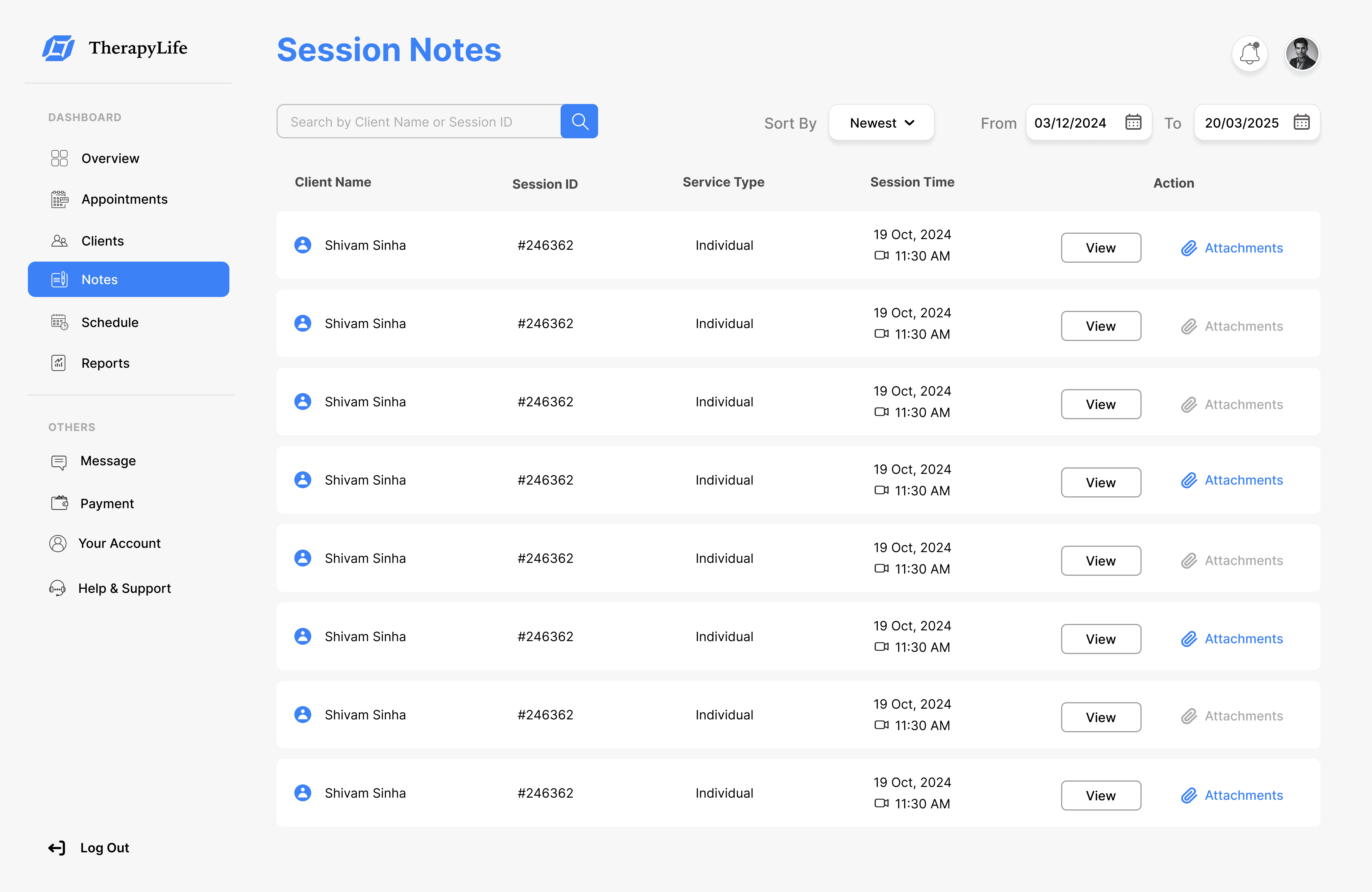
On this step, first I created a static, high-fidelity TherapyLife's Dashboard design (keeping in mind all the conclusions from the previous phase of usability studies) that is a clear representation of a final product called design mockups.
After that, I created a high-fidelity prototype of the internal dashboard.

Mockups

These are a high fidelity design that represents a final product

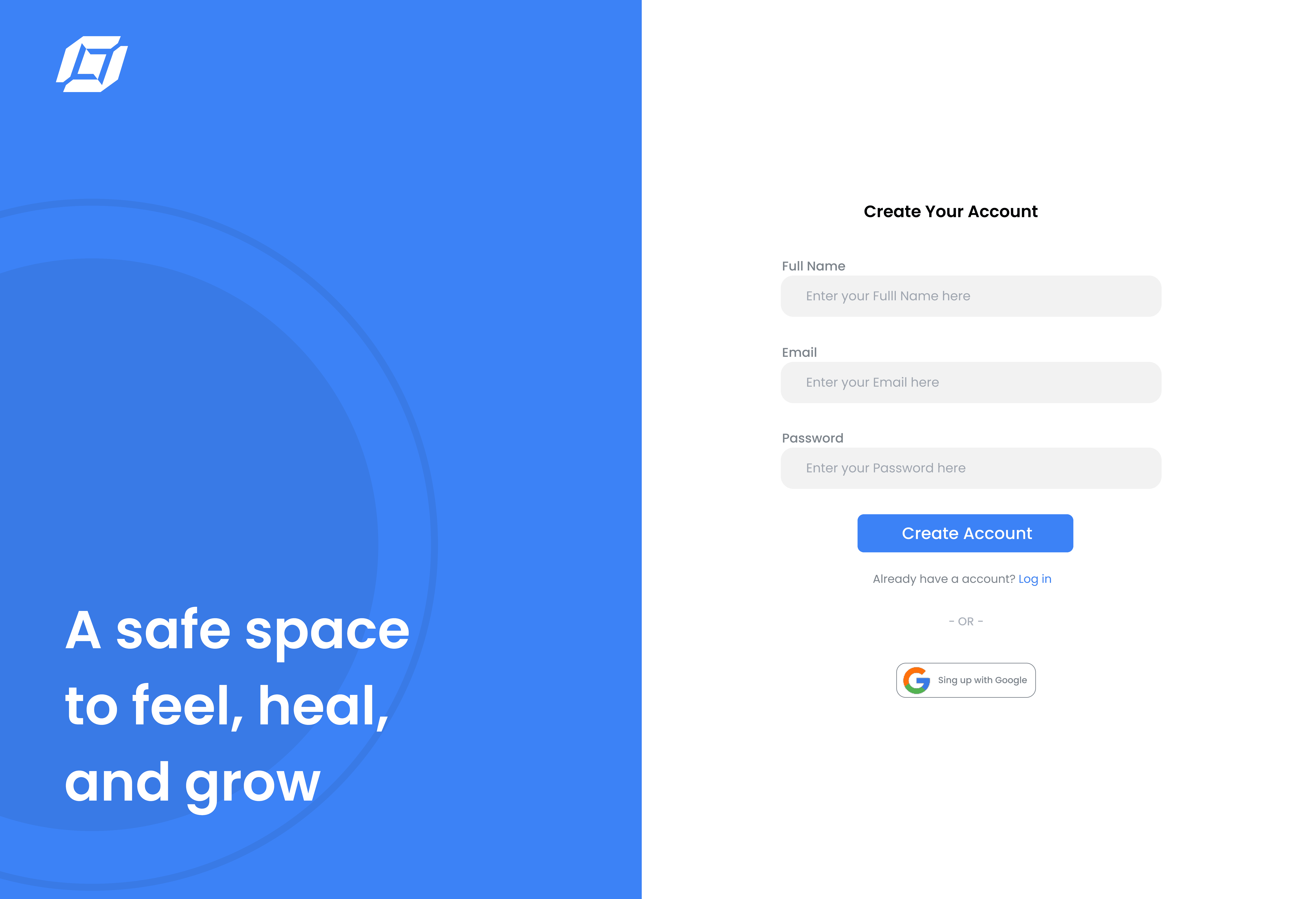
I created all the app pages mockups, incorporating the right design elements such as typography, color, and iconography. I also included captivating and visually appealing images, and developed all the necessary components and elements.
The goal was to demonstrate the final TherapyLife's app in as much detail as possible.

Credit card marketplace
Credit score tracking
Credit improvement tips
Educational resources
Credit card, item
Credit card, item
User dashboard
User dashboard

The project schematically :

Outcome

I created various diagrams and storyboards to clarify and analyze the app's information and architecture. Afterward, I sketched paper wireframes and then transitioned to digital wireframes, building a low-fidelity prototype to conduct initial usability studies with stakeholders.

Takeways

The series of hand-drawing frames that visually describe and explore a user's experience with a product. 

Impact:

Our target users have found internal dashboard design to be intuitive, user-friendly, and easy to use: choose a scheduling appointments, writing notes, and prepping for sessions.

What I learned:

This project helped me think beyond usability and focus on mental load. Talking to therapists showed how small things like autosave or a prep checklist can make a big difference in their day. My biggest takeaway is to always prioritize the genuine needs of the user.

Usability Testing & Results

We conducted two rounds of moderated usability testing with 8 participants including therapists and practice managers to evaluate the effectiveness of our redesigned dashboard. Participants were asked to complete key tasks such as checking availability, starting session notes, and reviewing client details.

30% Improvement in Schedule Accuracy :

The availability calendar reduced double-bookings and unintentional open slots, improving reliability and reducing admin overhead..

50% Faster Task Completion

Usability testing showed therapists completed core tasks (e.g., finding a session, starting notes, checking payment status) 50% faster on average compared to their previous system.

35% Faster Session Prep Time

Centralized client profiles reduced the time spent searching for past session details or notes, improving pre-session readiness.

40% Drop in Missed Notes

Thanks to contextual note-taking directly from the Appointments page and dashboard, therapists were more likely to complete notes immediately after sessions.

Challenges Faced

The series of hand-drawing frames that visually describe and explore a user's experience with a product. 

Data Privacy:

Working with sensitive mental health data meant ensuring all UI and workflows were compliant with HIPAA and followed best practices for data protection.

Low Digital Maturity:

Many therapists were new to tech. This required building a friendly, frictionless experience with a very low learning curve.